Now that I’m slowly familiarizing myself in the world of Python, I am much more often confronted with classes and object-oriented programming (OOP). While R has its own OOP paradigms (yes, multiple, obviously, it’s R after all), I have never experienced the need to create my own classes. However, in other languages, like Python, Ruby, or Java, OOP is much more an essential of developers’ and programmers’ skillsets.
Now, I personally won’t start on learning Java anytime soon. Hence, I am just sharing this pearl of a resource with a wider audience right now. This MOOC by the university of Helsinki has been in my inbox for quite a while: Object-Oriented Programming with Java. If you understand Finnish, you can even take the 2019 Finnish version of the course.
During this course you will learn all the basics of computer programming, algorithms and object-oriented programming using the Java programming language. The course includes comprehensive course materials and plenty of programming exercises, each tested using our automatic testing service Test My Code.
Part 1 of the course will teach you all the basics of the Java language:
Part 2 continues with some more advanced topics:
While I have not taken the course myself yet, I have read a lot of good reviews about it. Moreover, what better way to learn a new language than by deep diving into it with a specialized topic like OOP. And it’s free! And taught by trained academics! What are you still doing here, start learning!
After several years of proscrastinating, the inevitable finally happened: Three months ago, I committed to learning Python!
I must say that getting started was not easy. One afternoon three months ago, I sat down, motivated to get started. Obviously, the first step was to download and install Python as well as something to write actual Python code. Coming from R, I had expected to be coding in a handy IDE within an hour or so. Oh boy, what was I wrong.
Apparently, there were already a couple of versions of Python present on my computer. And apparently, they were in grave conflict. I had one for the R reticulate package; one had come with Anaconda; another one from messing around with Tensorflow; and some more even. I was getting all kinds of error, warning, and conflict messages already, only 10 minutes in. Nothing I couldn’t handle in the end, but my good spirits had dropped slightly.
With Python installed, the obvious next step was to find the RStudio among the Python IDE’s and get working in that new environment. As an rational consumer, I went online to read about what people recommend as a good IDE. PyCharm seemed to be quite fancy for Data Science. However, what’s this Spyder alternative other people keep talking about? Come again, there are also Rodeo, Thonny, PyDev, and Wing? What about those then? A whole other group of Pythonista’s said that, as I work in Data Science, I should get Anaconda and work solely in Jupyter Notebooks! Okay…? But I want to learn Python to broaden my skills and do more regular software development as well. Maybe I start simple, in a (code) editor? However, here we have Atom, Sublime Text, Vim, and Eclipse? All these decisions. And I personally really dislike making regrettable decisions or committing to something suboptimal. This was already taking much, much longer than the few hours I had planned for setup.
This whole process demotivated so much that I reverted back to programming in R and RStudio the week after. However, I had not given up. Over the course of the week, I brought the selection back to Anaconda Jupyter Notebooks, PyCharm, and Atom, and I was ready to pick one. But wait… What’s this Visual Studio Code (VSC) thing by Microsoft. This looks fancy. And it’s still being developed and expanded. I had already been working in Visual Studio learning C++, and my experiences had been good so far. Moreover, Microsoft seems a reliable software development company, they must be able to build a good IDE? I decided to do one last deepdive.
The more I read about VSC and its features for Python, the more excited I got. Hey, VSC’s Python extension automatically detects Python interpreters, so it solves my conflicts-problem. Linting you say? Never heard of it, but I’ll have it. Okay, able to run notebooks, nice! Easy debugging, testing, and handy snippets… Okay! Machine learning-based IntelliSense autocompletes your Python code – that sounds like something I’d like. A shit-ton of extensions? Yes please! Multi-language support – even tools for R programming? Say no more! I’ll take it. I’ll take it all!
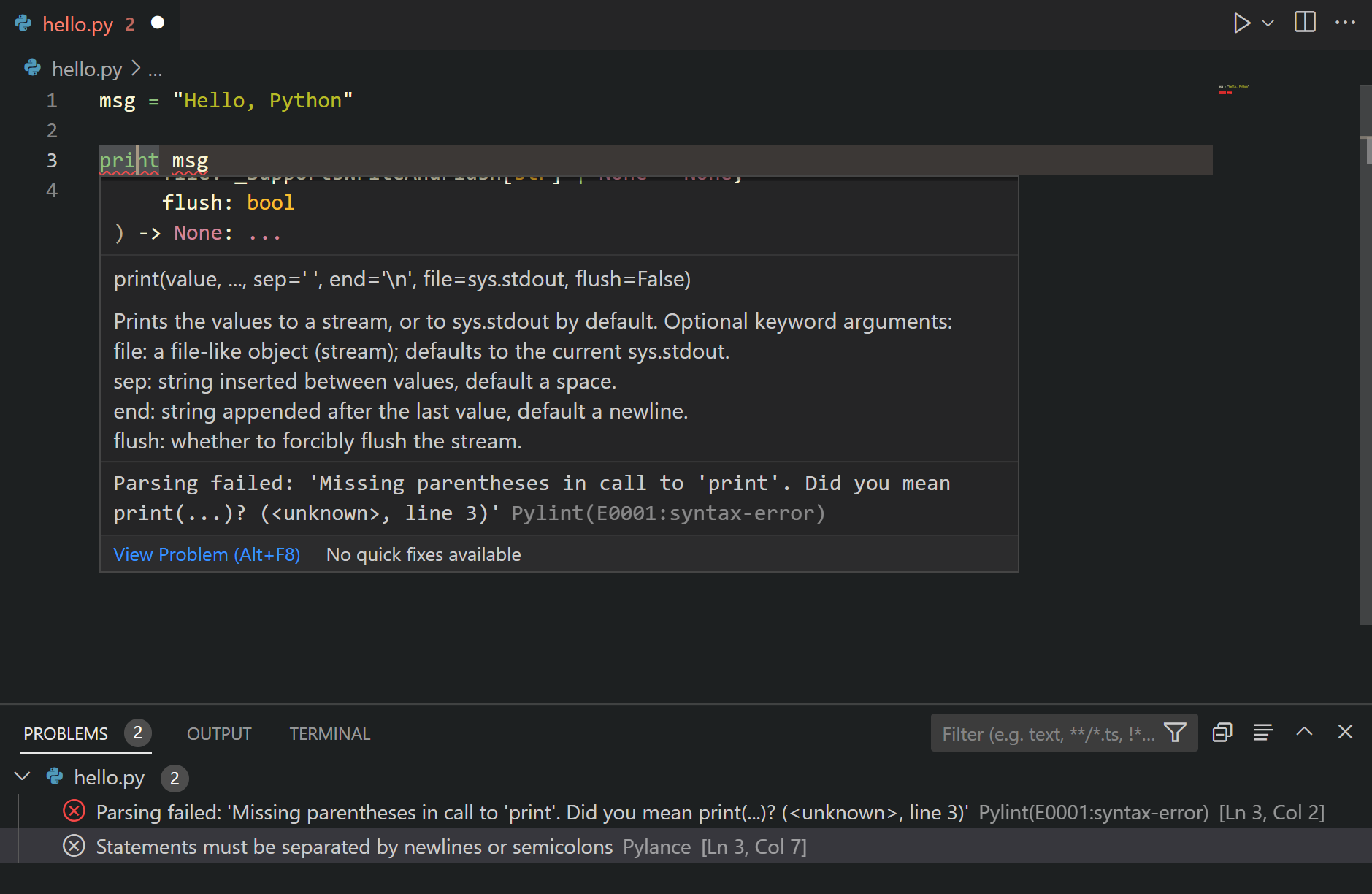
Linting in VSC provides code suggestions
My goods friends at Microsoft were not done yet though. To top it all of, they have documented everything so well. It’s super easy to get started! There are numerous ordered pages dedicated to helping you set up and discover your new Python environment in VSC:
The Microsoft VSC pages also link to some more specific resources:
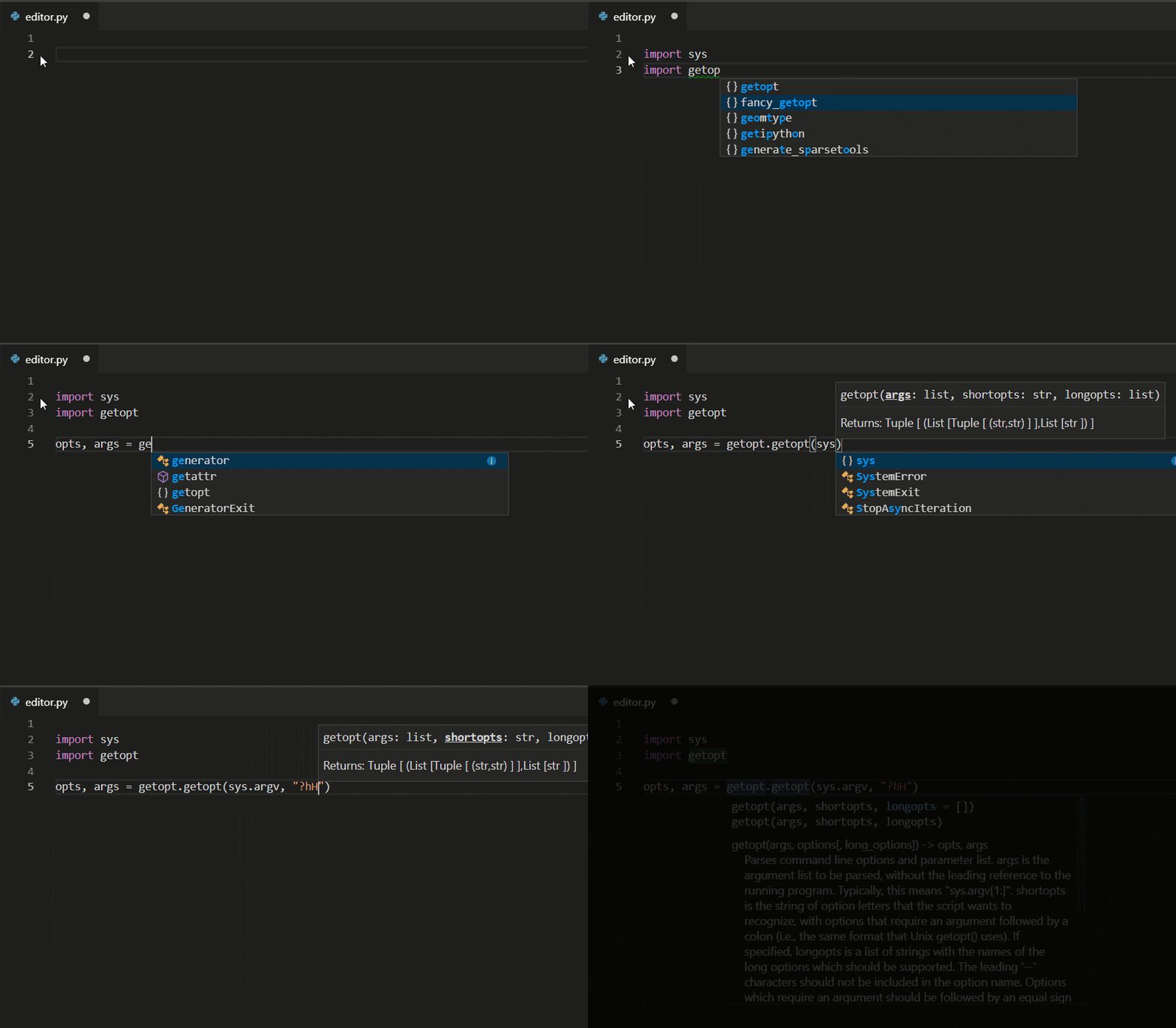
Editing Python in VS Code: Learn more about how to take advantage of VS Code’s autocomplete and IntelliSense support for Python, including how to customize their behvior… or just turn them off.
Linting Python: Linting is the process of running a program that will analyse code for potential errors. Learn about the different forms of linting support VS Code provides for Python and how to set it up.
Debugging Python: Debugging is the process of identifying and removing errors from a computer program. This article covers how to initialize and configure debugging for Python with VS Code, how to set and validate breakpoints, attach a local script, perform debugging for different app types or on a remote computer, and some basic troubleshooting.
Unit testing Python: Covers some background explaining what unit testing means, an example walkthrough, enabling a test framework, creating and running your tests, debugging tests, and test configuration settings.
Python IntelliSense in VSC makes real-time code autocomplete suggestions
My Own Python Journey
So three months in I am completely blown away at how easy, fun, and versatile the language is. Nearly anything is possible, most of the language is intuitive and straightforward, and there’s a package for anything you can think of. Although I have spent many hours, I am very happy with the results. I did not get this far, this quickly, in any other language. Let me share some of the stuff I’ve done the past three months.
I’ve mainly been building stuff. Some things from scratch, others by tweaking and recycling other people’s code. In my opinion, reusing other people’s code is not necessarily bad, as long as you understand what the code does. Moreover, I’ve combed through lists and lists of build-it-yourself projects to get inspiration for projects and used stuff from my daily work and personal life as further reasons to code. I ended up building:
solutions to the first 31 problems of Project Euler, which I highly recommend you try to solve yourself!
solutions to the first dozen problems posed in Automate the Boring Stuff with Python. This book and online tutorial forces you to get your hands dirty right from the start. Simply amazing content and the learning curve is precisely good
"Programming today is a race between software engineers striving to build bigger and better idiot-proof programs, and the universe trying to build bigger and better idiots. So far, the universe is winning." – Rick Cook#programming#coding#ArtificialStupidity no.20 pic.twitter.com/cBiR1HQszn
all Socratica Python Youtube videos. They are simply a fantastic introduction to the language and amazingly amusing. You can sponsor them here
hours and hours of Corey Shafer’s Youtube channel. Seriously good quality content, and more in-depth than Socratica. Corey covers the versatile functionalities included in the standard Python libraries and then some more
Although it is no longer maintained, you might find some more, interesting links on my Python resources page or here, for those transitioning from R. If only the links to the more up-to-date resources pages. Anyway, hope this current blog helps you on your Python journey or to get Python and Visual Studio Code working on your computer. Please feel free to share any of the stories, struggles, or successes you experience!
I came across this 1999-2003 e-book by Eric Raymond, on the Art of Unix Programming. It contains several relevant overviews of the basic principles behind the Unix philosophy, which are probably useful for anybody working in hardware, software, or other algoritmic design.
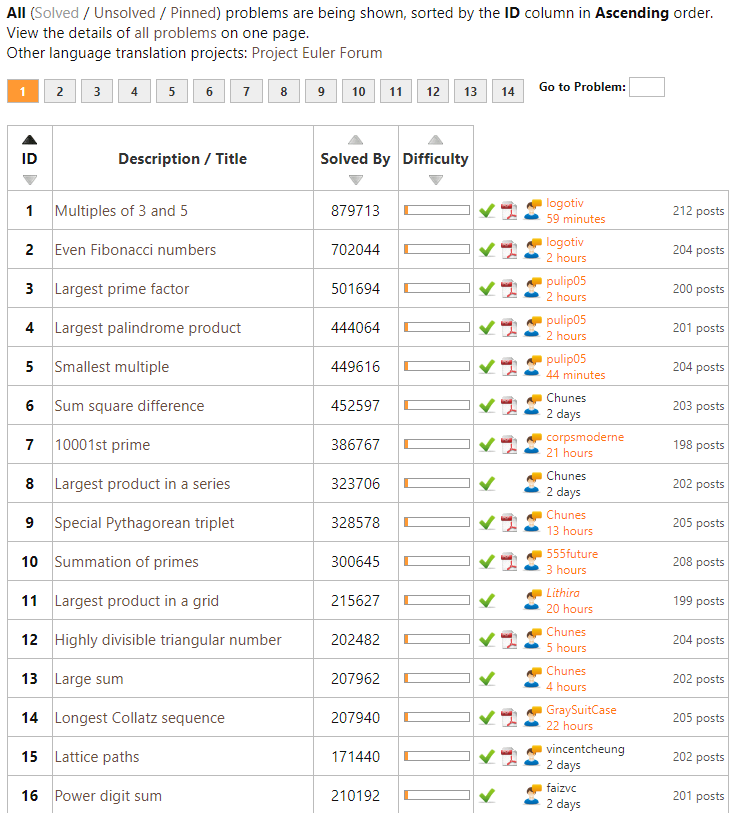
Over the last months I’ve been working my way through Project Euler in my spare time. I wanted to learn Python programming, and what better way than solving mini-problems and -projects?!
Well, Project Euler got a ton of these, listed in increasing order of difficulty. It starts out simple: to solve the first problem you need to write a program to identify multiples of 3 and 5. Next, in problem two, you are asked to sum the first thousand even Fibonacci numbers. Each problem, the task at hand gets slighly more difficult…
For me, Project Euler combines math, programming, and stats in a way that really keeps me motivated to continue and learn new concepts and programming / problem-solving approaches.
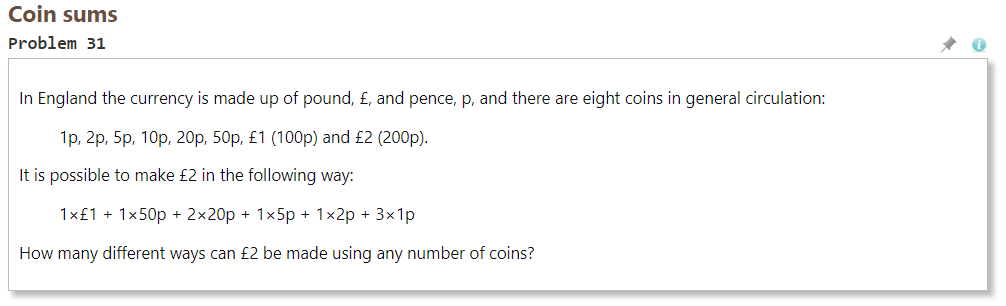
However, at problem 31, I really got stuck. For several hours, I struggled to solve it in a satisfactory fashion, even though most other problems only take 5-90 minutes.
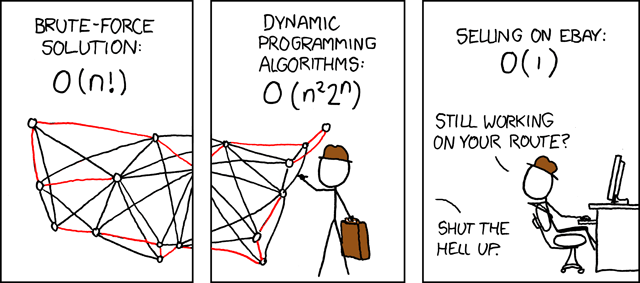
After hours of struggling, I pretty much gave up, and googled some potential solutions. Aparently, the way to solve problem 31, is to take a so-called dynamic programming approach.
Dynamic programming is both a mathematical optimization method and a computer programming method. The method was developed by Richard Bellman in the 1950s and has found applications in numerous fields, from aerospace engineering to economics. In both contexts it refers to simplifying a complicated problem by breaking it down into simpler sub-problems in a recursive manner. While some decision problems cannot be taken apart this way, decisions that span several points in time do often break apart recursively. Likewise, in computer science, if a problem can be solved optimally by breaking it into sub-problems and then recursively finding the optimal solutions to the sub-problems, then it is said to have optimal substructure.
Now, this sounded like something I’d like to learn more about! I was already quite familiar with recursive problems and solutions, but this dynamic programming sounded next-level.
So I googled and googled for tutorials and other resources, and I finally came across this free 2011 MIT course that I intend to view over the coming weeks.
There’s even a course website with additional materials and assignments (in Python).
For those less interested in (dynamic) programming but mostly in machine learning, there’s this other great MIT OpenCourseWare youtube playlist of their Artificial Intelligence course. I absolutely loved that course and I really powered through it in a matter of weeks (which is why I am already psyched about this new one). I learned so much new concepts, and I strongly recommend it. Unfortunately, the professor recently passed away.
Last week, this interesting reddit thread was filled with overviews for cool projects that may help you learn a programming language. The top entries are:
Lars Albertsson, former software engineer at Spotify and Google and currently freelance data engineer via mapflat, maintains this list of data engineering resources. It includes many links to videos and courses about data pipelines, batch processing, Kafka, NoSQL, Clojure, Scala, Parquet, Luigi, Storm, Spark, Hadoop, Cassandra, and other tools I am not too familiar with. Looks like it could function as a great curated overview for starters.







 paulvanderlaken.com