Robert Martin’s book Clean Code has been on my to-read list for months now. Browsing the web, I stumbled across this repository of where Ryan McDermott applied the book’s principles to JavaScript. Basically, he made a guide to producing readable, reusable, and refactorable software code in JavaScript.
Although Ryan’s good and bad code examples are written in JavaScript, the basic principles (i.e. “Uncle Bob”‘s Clean Code principles) are applicable to any programming language. At least, I recognize many of the best practices I’d teach data science students in R or Python.
Knowing these won’t immediately make you a better software developer, and working with them for many years doesn’t mean you won’t make mistakes. Every piece of code starts as a first draft, like wet clay getting shaped into its final form. Finally, we chisel away the imperfections when we review it with our peers. Don’t beat yourself up for first drafts that need improvement. Beat up the code instead!
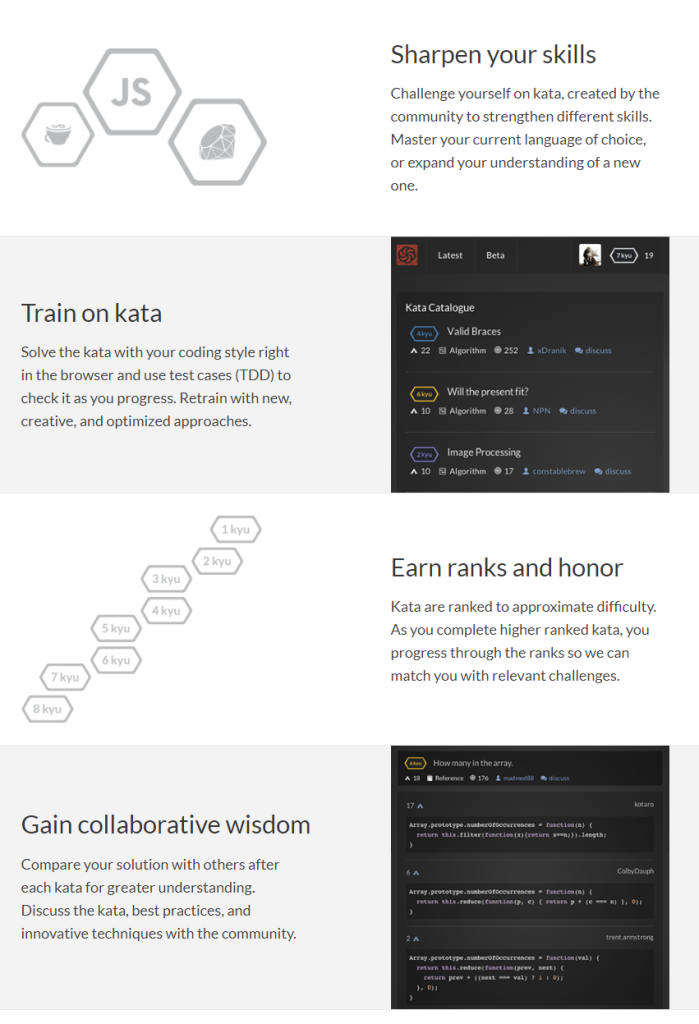
As I wrote about Project Euler and CodingGame before, someone recommended me CodeWars. CodeWars offers free online learning exercises to develop your programming skills through fun daily challenges.
In line with Project Euler, you are tasked with solving increasingly complex programming challenges. At CodeWars, these little problems you need to solve with code are called kata.
Kata take a test-driven development approach: the programs you write need to pass the tests of the developer who made the kata in the first place. Only then are you awarded with honour and can you earn your ranks and progress to the more complex kata.
Sounds fun right? I’m definitely going to check this out, as they support a wide range of programming languages, each with many kata to solve!
Python, Ruby, C++, Java, JavaScript and many other main programming languages are already supported, but CodeWards is also still developing kata for more niche or upcoming languages like R, Lua, Kotlin, and Scala.
This blog by Gordon Shotwell has passed my Twitter feed a couple of times now and I thought I’d share it here: blog.shotwell.ca/posts/why_i_use_r
It in, Gordon present his reasons for using R, describing R’s four unique selling point, and outlining a discussion full of perfectly quotable thoughts and opinions.
Do have a look at the original blog as well, but here’s my 3-minute summary:
Gordon finds that there are four main features of the R programming language that are essential to his work and in a sense unique to the R language. Here they are, along with quotes by Gordon explaining R’s unique selling points in his words:
(1) Native data science structures
It’s relatively easy to do data science in R without any external libraries. You can read data from a csv into a data frame, plot and clean that data, and analyse it using built-in statistical models.
(2) Non-standard evaluation
Non-standard evaluation lets you do things like use a variable name in a plot title, or evaluate a user-supplied expression in a different environment.
[…]
For example, R lets you specify models with a formula interface like this: lm(mtcars, mpg ~ cyl). This is a natural way for statisticians to specify statistical models because they’re usually familliar with the syntax, but without NSE there’s no way to make that function work as written because mpg and cylare not objects in the calling environment.
(3) Packaging concensus
R let me get up and running, installing packages, filtering data, and printing plots in under 20 minutes, which meant that I stayed interested in the language and eventually started using it professionally. I had actually started to learn Python at around the same time but just found it too difficult. […]
The user that I care the most about only has 20 minutes of attention and no real programming skill, so the only thing they can “just” do is copy and paste one line of code into a console. If that doesn’t work, I’ve lost them, and they’ll spend another lonely year renewing their SPSS licenses.
(4) Functional programming
I really like this pattern of [functional] programming because breaking complicated jobs down into small functional bricks gives me confidence that the overall solution is correct. I can work on the small functions, verify that they’re correct through tests, and then know that combining those building blocks together won’t change their behaviour.
Although I personally do not fully agree with these four points (e.g., I very much like to leverage functional programming in Python and it works like a charm!) I very much liked the outline Gordon provides. I’d love to hear your thoughts as well, so do share them in the comments.
For now, let’s end with some other lovely quotes by Gordon:
The thing is, I don’t use R out of some blind brand loyalty but because I don’t like working hard.
I came to R from an Excel background, and for a long time I had internalized the feeling that serious engineers used Python, while analysts or researchers could use languages like R. Over time I’ve realized that the people making that statement often aren’t really informed. They rarely know anything about R, and often don’t really write production-quality code themselves.
In contrast, most of the very senior engineers I’ve met understand that all programming languages are basically just bundles of trade-offs, and so no single language is going to be globally superior to another. There really are no production languages – only production engineers.
I’ve had this WordPress domain for several years now, and in the beginning it was very convenient.
WordPress enabled me to set up a fully functional blog in a matter of hours. Everything from HTML markup, external content embedding, databases, and simple analytics was already conveniently set up.
However, after a while, I wanted to do some more advanced stuff. Here, the disadvantages of WordPress hosting became evident fast. Anything beyond the most simple capabilities is locked firmly behind paywalls. Arguably rightfully so. If you want to use WordPress’ add-ins, I feel you should pay for them. That’s their business model after all.
However, what greatly annoys me is that WordPress actively hinders you from arranging matters yourself. Want to incorporate some JavaScript in your page? Upgrade to a paid account. Want to use Google Analytics? Upgrade and buy an add-in. Want to customize your HTML / CSS code? Upgrade or be damned. Even the simplest of tasks — just downloading visitor counts — WordPress made harder than it should be.
You can download visitor statistics manually — day by day, week by week, or year by year. However, there is no way to download your visitor history in batches. If you want to have your daily visiting history, you will manually have to download and store every day’s statistics.
For me, getting historic daily data would entail 1100 times entering a date, scrolling down, clicking a button, specifying a filename, and clicking to save. I did this once, for 36 monthly data snapshots, and the insights were barely worth the hassle, I assure you.
Fortunately, today, after nearly three years of hosting on WordPress, I finally managed to circumvent past this annoyance! Using the Python script detailed below, my computer now automonously logs in to WordPress and downloads the historic daily visitor statistics for all my blogs and pages!
Let me walk you through the program and code.
Modules & Setup
Before we jump into Python, you need to install Chromedriver. Just download the zip and unpack the execution file somewhere you can find it, and make sure to copy the path into Python. You will need it later. Chromedriver allows Python’s selenium webdriver to open up and steer a chrome browser.
We need another module for browsing: webdriver_manager. The other modules and their functions are for more common purposes: os for directory management, re for regular expression, datetime for working with dates, and time for letting the computer sleep in between operations.
from selenium import webdriver
from webdriver_manager.chrome import ChromeDriverManager
from time import sleep
from datetime import datetime, timedelta
import os
import re
Helper Functions
I try to write my code in functions, so let’s dive into the functions that allow us to download visitor statistics.
To begin, we need to set up a driver (i.e., automated browser) and this is what get_driver does. Two things are important here. Firstly, the function takes an argument dir_download. You need to give it a path so it knows where to put any downloaded files. This path is stored under preferences in the driver options. Secondly, you need to specify the path_chromedriver argument. This needs to be the exact location you unpacked the chromedriver.exe. All these paths you can change later in the main program, so don’t worry about them for now. The get_driver function returns a ready-to-go driver object.
Next, our driver will need to know where to browse to. So the function below, compile_traffic_url, uses an f-string to generate the url for the visitor statistics overview of a specific domain and date. Important here is that you will need to change the domain default from paulvanderlaken.com to your own WordPress adress. Take a look at the statistics overview in your regular browser to see how you may tailor your urls.
Now, in the rest of the program, I work dates formatted and stored as datetime.datetime.date(). By default, the compile_traffic_url function also uses a datetime date argument for today’s date. However, WordPress expects simple string dates in the urls. Hence, I need a way to convert these complex datetime dates into simpler strings. That’s what the strftimefunction below does. It formats a datetime date to a date_string, in the format YYYY-MM-DD.
So we know how to generate the urls for the pages we want to scrape. We compile them using this handy function.
If we would let the driver browse directly to one of these compiled traffic urls, you will find yourself redirected to the WordPress login page, like below. That’s a bummer!
Hence, whenever we start our program, we will first need to log in once using our password. That’s what the signing_in function below is for. This function takes in a driver, a username, and a password. It uses the compile_traffic_url function to generate a traffic url (by default of today’s traffic [see above]). Then the driver loads the website using its get method. This will redirect us to the WordPress login page. In order for the webpages to load before our driver starts clicking away, we let our computer sleep a bit, using time.sleep.
Now, our automated driver is looking at the WordPress login page. We need to help it find where to input the username and password. If you press CTRL+SHIFT+C while on any webpage, the HTML behind it will show. Now you can just browse over the webpage elements, like the login input fields, and see what their CSS selectors, names, and classes are.
If you press CTRL+SHIFT+C on a webpage, the html behind it will show.
So, next, I order the driver to find the HTML element of the username-input field and input my username keys into it. We ask the driver to find the Continue-button and click it. Time for the driver to sleep again, while the page loads the password input field. Afterwards, we ask the driver to find the password input field, input our password, and click the Continue-button a second time. While our automatic login completes, we let the computer sleep some more.
Once we have logged in once, we will remain logged in until the Python program ends, which closes the driver.
Okay, so now that we have a function that logs us in, let’s start downloading our visitor statistics!
The download_traffic function takes in a driver, a date, and a list of dates_downloaded (an empty list by default). First, it checks whether the date to download occurs in dates_downloaded. If so, we do not want to waste time downloading statistics we already have. Otherwise, it puts the driver to work downloading the traffic for the specified date following these steps:
Compile url for the specified date
Driver browses to the webpage of that url
Computer sleeps while the webpage loads
Driver executes script, letting it scroll down to the bottom of the webpage
Driver is asked to find the button to download the visitor statistics in csv
Driver clicks said button
Computer sleeps while the csv is downloaded
If anything goes wrong during these steps, an error message is printed and no document is downloaded. With no document downloaded, our program can try again for that link the next time.
def download_traffic(driver, date, dates_downloaded=[]):
    if date in dates_downloaded:
        print(f'Already downloaded {date} traffic')
    else:
        try:
            print(f'Downloading {date} traffic')
            url = compile_traffic_url(date=date)
            driver.get(url)
            sleep(1)
            driver.execute_script("window.scrollTo(0, document.body.scrollHeight);")
            button = driver.find_element_by_class_name('stats-download-csv')
            button.click()
            sleep(1)
        except:
            print(f'Error during downloading of {date}')
We need one more function to generate the dates_downloaded list of download_traffic. The date_from_filename function below takes in a filename (e.g., paulvanderlaken.com_posts_day_12_28_2019_12_28_2019) and searches for a regular expression date format. The found match is turned into a datetime date using strptime and returned. This allows us to walk through a directory on our computer and see for which dates we have already downloaded visitor statistics. You will see how this works in the main program below.
def date_from_filename(filename):
    match = re.search(r'\d{2}_\d{2}_\d{4}', filename)
    date = datetime.strptime(match.group(), '%m_%d_%Y').date()
    return date
Main program
In the end, we combine all these above functions in our main program. Here you will need to change five things to make it work on your computer:
path_data – enter a folder path where you want to store the retrieved visitor statistics csv’s
path_chromedriver – enter the path to the chromedriver.exe you unpacked
first_date – enter the date from which you want to start scraping (by default up to today)
username – enter your WordPress username or email address
password – enter your WordPress password
if __name__ == '__main__':
    path_data = 'C:\\Users\\paulv\\stack\\projects\\2019_paulvanderlaken.com-anniversary\\traffic-day\\'
    path_chromedriver = 'C:\\Users\\paulv\\chromedriver.exe'

    first_date = datetime(2017, 1, 18).date()
    last_date = datetime.today().date()

    username = "insert_username"
    password = "insert_password"

    driver = get_driver(dir_download=path_data, path_chromedriver=path_chromedriver)

    days_delta = last_date - first_date
    days = [first_date + timedelta(days) for days in range(days_delta.days + 1)]
    dates_downloaded = [date_from_filename(file) for _, _, f in os.walk(path_data) for file in f]

    signing_in(driver, username=username, password=password)

    for d in days:
        download_traffic(driver, d, dates_downloaded)
    driver.close()
If you have downloaded Chromedriver, have copied all the code blocks from this blog into a Python script, and have added in your personal paths, usernames, and passwords, this Python program should work like a charm on your computer as well. By default, the program will scrape statistics from all days from the first_date up to the day you run the program, but this you can change obviously.
Results
For me, the program took about 10 seconds to download one csv consisting of statistics for one day. So three years of WordPress blogging, or 1095 daily datasets of statistics, were extracted in about 3 hours. I did some nice cooking and wrote this blog in the meantime : )
The result after 3 hours of scraping
Compare that to the horror of having to surf, scroll, and click that godforsaken Download data as CSV button ~1100 times!!
The horror button (in Dutch)
Final notes
The main goal of this blog was to share the basic inner workings of this scraper with you, and to give you the same tool to scrape your own visitor statistics.
Now, this project can still be improved tremendously and in many ways. For instance, with very little effort you could add some command line arguments (with argparse) so you can run this program directly or schedule it daily. My next step is to set it up to run daily on my Raspberry Pi.
An additional potential improvement: when the current script encounters no statistics do download for a specific day, no csv is saved. This makes the program try again a next time it is run, as the dates_downloaded list will not include that date. Probably this some minor smart tweaks will solve this issue.
Moreover, there are many more statistics you could scrape of your WordPress account, like external clicks, the visitors home countries, search terms, et cetera.
The above are improvement points you can further develop yourself, and if you do please share them with the greater public so we can all benefit!
For now, I am happy with these data, and will start on building some basic dashboards and visualizations to derive some insights from my visitor patterns. If you have any ideas or experiences please let me know!
I hope this walkthrough and code may have help you in getting in control of your WordPress website as well. Or that you learned a thing or two about basic web scraping with Python. I am still in the midst of starting with Python myself, so if you have any tips, tricks, feedback, or general remarks, please do let me know! I am always happy to talk code and love to start pet projects to improve my programming skills, so do reach out if you have any ideas!
Raymond Hettinger is one of the core Python developers whose talks I’ve featured on my blog before. And rightfully so, as Raymond’s presentations are unarguably entertaining and deeply insightful from an technical perspective.
In this recorded talk at the 2016 Annual Holiday Party for Python Devs in San Fransisco Bay Area, Raymond walks us through the history and development of dictionaries and hash tables uses example code in Python.
Python’s dictionaries are stunningly good. Over the years, many great ideas have combined together to produce the modern implementation in Python 3.6. This fun talk is given by Raymond Hettinger, the Python core developer responsible for the set implementation and who designed the compact-and-ordered dict implemented in CPython for Python 3.6 and in PyPy for Python 2.7. He will use pictures and little bits of pure python code to explain all of the key ideas and how they evolved over time. He will also include newer features such as key-sharing, compaction, and versioning. This talk is important because it is the only public discussion of the state of the art as of Python 3.6. Even experienced Python users are unlikely to know the most recent innovations.
This talk is for all Python programmers. It is designed to be fully understandable for a beginner (it starts from first principles) but to have new information even for Python experts (how key-sharing works, how the compact-ordered patch works, how dict versioning works). At the end of this talk, you can confidently say that you know how modern Python dictionaries work and what it means for your code.
Over the course of last week, I built a Python program that scrapes quotes from Goodreads.com in a tidy format. For instance, these are the first three results my program returns when scraping for the tag robot:
Quote
author
source
likes
tags
Goodbye, Hari, my love. Remember always–all you did for me.
Isaac Asimov
Forward the Foundation
33
[‘asimov’, ‘foundation’, ‘human’, ‘robot’]
Unfortunately this Electric Monk had developed a fault, and had started to believe all kinds of things, more or less at random. It was even beginning to believe things they’d have difficulty believing in Salt Lake City.
As it’s bio reads, ArtificialStupidity is a highly sentient AI intelligently matching quotes and comics through state-of-the-art robotics, sophisticated machine learning, and blockchain technology.
Basically, every 15 minutes, a Python script is triggered on my computer (soon on my Raspberry Pi 4). Each time it triggers, this script generates a random number to determine whether it should post something. If so, the script subsequently generates another random number to determine what is should post: a quote, a comic, or both. Behind the scenes, some other functions add hastags and — voila — a tweet is born!
(An upcoming post will elaborate on the inner workings of my ArtificialStupidity Python script)
More often than not, ArtificialStupidity produces some random, boring tweet:
Now, in order to compile these tweets, my computer hosts two databases. One containing data- and tech- related comics; the other a variety of inspirational quotes. Each time the ArtificialStupidity bot posts a tweet, it draws from one or both of these datasets randomly. With, on average, one post every couple hours, I thus need several hundreds of items in these databases in order to prevent repetition — which is definitely not entertaining.
Up until last week, I manually expanded these databases every week or so. Adding new comics and quotes as I encountered them online. However, this proved a tedious task. Particularly for the quotes, as I set up the database in a specific format (“quote” – author). In contrast, websites like Goodreads.com display their quotes in a different format (e.g., “quote” ― author, source \n tags \n likes). Apart from the different format, the apostrophes and long slash also cause UTF-8 issues in my Python script. Hence, weekly reformatting of quotes proved an annoying task.
Up until this week!
While reformatting some bias-related quotes, I decided I’d rather invest 10 times more time developing my Python skills, than mindlessly reformatting quotes for a minute longer. So I started coding.
I am proud to say that, some six hours later, I have compiled the script below.
I’ll walk you through it’s functions.
So first, I import the modules/packages I need. Note that you will probably first have to pip install package-name on your own computer!
argparse for the command-line interface arguments
re for the regular expressions to clean quotes
bs4 for its BeautifulSoup for scraping website content
urllib.request for opening urls
csv to save csv files
os for directory pathing
import argparse
import re
from bs4 import BeautifulSoup
from urllib.request import urlopen, Request
import csv
import os
Next, I set up the argparse.ArgumentParser so that I can use my API using the command line. Now you can call the Python script using the command line (e.g., goodreads-scraper.py -t 'bias' -p 3 -q 80), and provide it with some arguments. No arguments are necessary. Most have sensible defaults. If you forget to provide a tag you will be prompted to provide one as the script runs (see later).
ap = argparse.ArgumentParser(description='Scrape quotes from Goodreads.com')

ap.add_argument("-t", "--tag",
                required=False, type=str, default=None,
                help="tag (topic/theme) of quotes to scrape")
ap.add_argument("-p", "--max_pages",
                required=False, type=int, default=10,
                help="maximum number of webpages to scrape")
ap.add_argument("-q", "--max_quotes",
                required=False, type=int, default=100,
                help="maximum number of quotes to scrape")

args = vars(ap.parse_args())
Now, the main function for this script is download_goodreads_quotes. This function contains many other functions within. You will see I set my functions up in a nested fashion, so that functions which are only used inside a certain scope, are instantiated there. In regular words, I create the functions where I use them.
First, download_goodreads_quotes creates download_quotes_from_page. In turn, download_quotes_from_page creates and calls compile_url — to create the url — get_soup — to download url contents — extract_quotes_elements_from_soup — to do just that — and extract_quote_dict. This latter function is the workhorse, as it takes each scraped quote element block of HTML and extracts the quote, author, source, and number of likes. It cleans each of these data points and returns them as a dictionary. In the end, download_quotes_from_page returns a list of dictionaries for every quote element block on a page.
Second, download_goodreads_quotes creates and calls download_all_pages which calls download_quotes_from_page for all pages up to max_pages, or up to the page that no longer returns quote data, or up to the number of max_quotes has been reached. All gathered quote dictionaries are added to a results list.
Additionally, I use two functions to actually store the scraped quotes: recreate_quote turns a quote dictionary into a quote (I actually do not use the source and likes, but maybe others want to do so); save_quotes calls this recreate quote for the list of quote dictionaires it’s given, and stores them in a csv file in the current directory.
Update 2020/04/05: added UTF-8 encoding based on infoguild‘s comment.
def recreate_quote(dict):
    return f'"{dict.get("quote")}" - {dict.get("author")}'

def save_quotes(quote_data, tag):
    save_path = os.path.join(os.getcwd(), 'scraped' + '-' + tag + '.txt')
    print('saving file')
    with open(save_path, 'w', encoding='utf-8') as f:
        quotes = [recreate_quote(q) for q in quote_data]
        for q in quotes:
            f.write(q + '\n')
Finally, I need to call all these functions when the user runs this script via the command line. That’s what the following code does. If looks at the provided (default) arguments, and if no tag is provided, the user is prompted for one. Next Goodreads.com is scraped using the earlier specified download_goodreads_quotes function, and the results are saved to a csv file.
if __name__ == '__main__':
    tag = args['tag'] if args['tag'] != None else input('Provide tag to search quotes for: ')
    mp = args['max_pages']
    mq = args['max_quotes']
    result = download_goodreads_quotes(tag, max_pages=mp, max_quotes=mq)
    save_quotes(result, tag)
Use
If you paste these script pieces sequentially in a Python script / text file, and save this file as goodreads-scraper.py. You can then run this script using your command line, like so goodreads-scraper.py -t 'bias' -p 3 -q 80 where the text after -t is the tag you are searching for, -p is the number of pages you want to scrape, and -q is the maximum number of quotes you want the program to scrape.
Let me know what your favorite quote is once you get it running!
To-do
So this is definitely still work in progress. Some potential improvements I want to integrate come directly to mind:
Avoid errors for quotes including newlines, or
Write code to extract only the text of the quote, instead of the whole text of the quote element.
Build in concurrency using futures (but take care that quotes are still added the results sequentially. Maybe we can already download the soups of all pages, as this takes the longest.
Write a function to return a random quote
Write a function to return a random quote within a tag
Implement a lower limit for the number of likes of quotes
Refactor the download_all_pages bit.
Add comments and docstrings.
Feedback or tips?
I have been programming in R for quite a while now, but Python and software development in general are still new to me. This will probably be visible in the way I program, my syntax, the functions I use, or other things. Please provide any feedback you may have as I’d love to get better!







 paulvanderlaken.com