Tag: datascience

Why Gordon Shotwell uses R

Why Gordon Shotwell uses R

This blog by Gordon Shotwell has passed my Twitter feed a couple of times now and I thought I’d share it here: blog.shotwell.ca/posts/why_i_use_r

It in, Gordon present his reasons for using R, describing R’s four unique selling point, and outlining a discussion full of perfectly quotable thoughts and opinions.

Do have a look at the original blog as well, but here’s my 3-minute summary:

Gordon finds that there are four main features of the R programming language that are essential to his work and in a sense unique to the R language. Here they are, along with quotes by Gordon explaining R’s unique selling points in his words:

(1) Native data science structures

It’s relatively easy to do data science in R without any external libraries. You can read data from a csv into a data frame, plot and clean that data, and analyse it using built-in statistical models.

(2) Non-standard evaluation

Non-standard evaluation lets you do things like use a variable name in a plot title, or evaluate a user-supplied expression in a different environment.

[…]

For example, R lets you specify models with a formula interface like this: lm(mtcars, mpg ~ cyl). This is a natural way for statisticians to specify statistical models because they’re usually familliar with the syntax, but without NSE there’s no way to make that function work as written because mpg and cylare not objects in the calling environment. 

(3) Packaging concensus

R let me get up and running, installing packages, filtering data, and printing plots in under 20 minutes, which meant that I stayed interested in the language and eventually started using it professionally. I had actually started to learn Python at around the same time but just found it too difficult. 
[…]

The user that I care the most about only has 20 minutes of attention and no real programming skill, so the only thing they can “just” do is copy and paste one line of code into a console. If that doesn’t work, I’ve lost them, and they’ll spend another lonely year renewing their SPSS licenses.

(4) Functional programming

I really like this pattern of [functional] programming because breaking complicated jobs down into small functional bricks gives me confidence that the overall solution is correct. I can work on the small functions, verify that they’re correct through tests, and then know that combining those building blocks together won’t change their behaviour.

Although I personally do not fully agree with these four points (e.g., I very much like to leverage functional programming in Python and it works like a charm!) I very much liked the outline Gordon provides. I’d love to hear your thoughts as well, so do share them in the comments.

For now, let’s end with some other lovely quotes by Gordon:

The thing is, I don’t use R out of some blind brand loyalty but because I don’t like working hard. 

I came to R from an Excel background, and for a long time I had internalized the feeling that serious engineers used Python, while analysts or researchers could use languages like R. Over time I’ve realized that the people making that statement often aren’t really informed. They rarely know anything about R, and often don’t really write production-quality code themselves.

In contrast, most of the very senior engineers I’ve met understand that all programming languages are basically just bundles of trade-offs, and so no single language is going to be globally superior to another. There really are no production languages – only production engineers.

https://blog.shotwell.ca/posts/why_i_use_r/

Online Workshop Tidy Data Science in R, by Jake Thompson

Online Workshop Tidy Data Science in R, by Jake Thompson

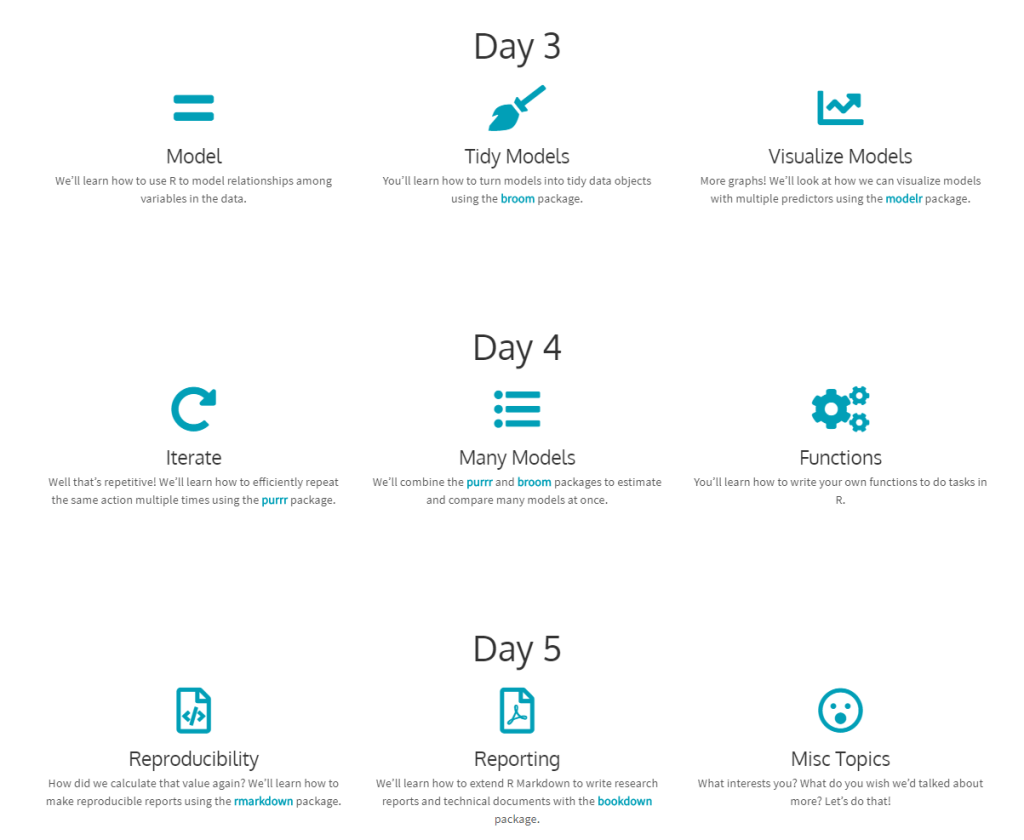
Here’s a website hosting for a five-day hands-on workshop based on the book “R for Data Science”.

The workshop was originally offered as part of the Stats Camp: Summer Statistical Institute in Lawrence, KS and hosted by the Center for Research Methods and Data Analysis and the Achievement and Assessment Instituteat the University of Kansas. It is designed for those who want to learn practical applications of R for data analysis.

You can download the Workshop files, but I suggest you do so via the original workshop webpage.

This workshop is designed for those who want to learn how to use R to analyze data. The material is based on Hadley Wickham and Garrett Grolemund’s R for Data Science. We’ll talk about how to conduct a complete data analysis from data import to final reporting in R using a suite of packages known as the tidyverse. The two goals of this workshop are: 1) learn how to use R to answer questions about our data; and 2) write code that is human readable and reproducible. We will also talk about how to share our code and analyses with others.

You should take this workshop if you are new to R, or to the tidyverse, and want to learn how to take advantage of this ecosystem to do data analysis. You’ll get the most from the workshop if you are primarily interested in applying pre-existing R packages and functions to your own data. We will give minimal tutorials on how to write your own functions; however, the main focus will be on using existing tools, rather than building our own.

About this workshop

=

5 Quick Tips for Coding in the Classroom, by Kelly Bodwin

5 Quick Tips for Coding in the Classroom, by Kelly Bodwin

Kelly Bodwin is an Assistant Professor of Statistics at Cal Poly (San Luis Obispo) and teaches multiple courses in statistical programming. Based on her experiences, she compiled this great shortlist of five great tips to teach programming.

Kelly truly mentions some best practices, so have a look at the original article, which she summarized as follows:

1. Define your terms

Establish basic coding vocabulary early on.

  • What is the console, a script, the environment?
  • What is a function a variable, a dataframe?
  • What are strings, characters, and integers?

2. Be deliberate about teaching versus bypassing peripheral skills

Use tools like RStudio Cloud, R Markdown, and the usethis package to shelter students from setup.

Personally, this is what kept me from learning Python for a long time — the issues with starting up.

Kelly provides this personal checklist of peripherals skills including which ones she includes in her introductory courses:

Course TypeInstall/Update R and RStudioR Markdown fluencyPackage managementData managementFile and folder organizationGitHub
Intro Stat for Non-Majors⚠️⚠️
Intro Stat for Majors⚠️⚠️⚠️⚠️
Advanced Statistics⚠️⚠️
Intro to Statistical Computation

✅ = required course skill
⚠️ = optional, proceed with caution
❌ = avoid entirely
via https://teachdatascience.com/teaching_programming_tips/

3. Read code like English

The best way to debug is to read your process out loud as a sentence.

Basically Kelly argues that you should learn students to be able to translate their requirements into (R) code.

When you continuously read out your code as step-by-step computer instructions, students will learn to translate their own desires to computer instructions.

4. Require good coding practices from Day One

Kelly refers to this great talk by Jenny Bryan on “good” code and how to recognize it.

Kelly’s personal best practice included:

  • Clear code formatting
  • Object names follow consistent conventions
  • Lack of unnecessary code repetition
  • Reproducibility
  • Unit tests before large calculations
  • Commenting and/or documentation

For more R style guides, see my R resources overview.

5. Leave room for creativity

Open-ended questions (like “here’s a dataset, do a cool analysis“) let students explore and shine.


Large parts of the above were copied from this original article by Kelly Boldwin. I highly recommend you have a look at the original, and at the website hosting it: teachdatascience.com

Cover picture by freecodecamp.org.

Northstar: The interactive, drag-and-drop data science platform by MIT

Northstar: The interactive, drag-and-drop data science platform by MIT

MIT researchers have spent years developing the new drag-and-drop analytics tools they call Northstar.

Northstar is an interactive data science platform that rethinks how people interact with data. It empowers users without programming experience, background in statistics or machine learning expertise to explore and mine data through an intuitive user interface, and effortlessly build, analyze, and evaluate machine learning (ML) pipelines.

northstar.mit.edu/

Northstar starts as a blank, white interface. Users upload datasets into the system, which appear in a “datasets” box on the left. Any data labels will automatically populate a separate “attributes” box below. There’s also an “operators” box that contains various algorithms, as well as the new AutoML tool. All data are stored and analyzed in the cloud.

news.mit.edu/2019/drag-drop-data-analytics-0627

You can read more about the tool’s functionalities in this MIT news article, which includes several promising GIFs:

Moreover, on the Northstar website you can find this longer video explaining the tool in detail.

https://vimeo.com/342787403

While Northstar looks insanely cool and promising, I do worry about putting such power in the hands of people who may not have much experience with statistics and/or machine learning. We all know how easily errors and bias may slip into data-driven processes, so I am curious to see how these next-gen kind of tools will be deployed and used.

PyData, London 2018

PyData, London 2018

PyData provides a forum for the international community of users and developers of data analysis tools to share ideas and learn from each other. The communities approach data science using many languages, including (but not limited to) Python, Julia, and R.

April 2018, a PyData conference was held in London, with three days of super interesting sessions and hackathons. While I couldn’t attend in person, I very much enjoy reviewing the sessions at home as all are shared open access on YouTube channel PyDataTV!

In the following section, I will outline some of my favorites as I progress through the channel:

Winning with simple, even linear, models:

One talk that really resonated with me is Vincent Warmerdam‘s talk on “Winning with Simple, even Linear, Models“. Working at GoDataDriven, a data science consultancy firm in the Netherlands, Vincent is quite familiar with deploying deep learning models, but is also midly annoyed by all the hype surrounding deep learning and neural networks. Particularly when less complex models perform equally well or only slightly less. One of his quote’s nicely sums it up:

“Tensorflow is a cool tool, but it’s even cooler when you don’t need it!”

— Vincent Warmerdam, PyData 2018

In only 40 minutes, Vincent goes to show the finesse of much simpler (linear) models in all different kinds of production settings. Among others, Vincent shows:

  • how to solve the XOR problem with linear models
  • how to win at timeseries with radial basis features
  • how to use weighted regression to deal with historical overfitting
  • how deep learning models introduce a new theme of horror in production
  • how to create streaming models using passive aggressive updating
  • how to build a real-time video game ranking system using mere histograms
  • how to create a well performing recommender with two SQL tables
  • how to rock at data science and machine learning using Python, R, and even Stan