Category: best practices

Propensity Score Matching Explained Visually

Propensity Score Matching Explained Visually

Propensity score matching (wiki) is a statistical matching technique that attempts to estimate the effect of a treatment (e.g., intervention) by accounting for the factors that predict whether an individual would be eligble for receiving the treatment. The wikipedia page provides a good example setting:

Say we are interested in the effects of smoking on health. Here, smoking would be considered the treatment, and the ‘treated’ are simply those who smoke. In order to find a cause-effect relationship, we would need to run an experiment and randomly assign people to smoking and non-smoking conditions. Of course such experiments would be unfeasible and/or unethical, as we can’t ask/force people to smoke when we suspect it may do harm.
We will need to work with observational data instead. Here, we estimate the treatment effect by simply comparing health outcomes (e.g., rate of cancer) between those who smoked and did not smoke. However, this estimation would be biased by any factors that predict smoking (e.g., social economic status). Propensity score matching attempts to control for these differences (i.e., biases) by making the comparison groups (i.e., smoking and non-smoking) more comparable.

Lucy D’Agostino McGowan is a post-doc at Johns Hopkins Bloomberg School of Public Health and co-founder of R-Ladies Nashville. She wrote a very nice blog explaining what propensity score matching is and showing how to apply it to your dataset in R. Lucy demonstrates how you can use propensity scores to weight your observations in such a way that accounts for the factors that correlate with receiving a treatment. Moreover, her explainations are strenghtened by nice visuals that intuitively demonstrate what the weighting does to the “pseudo-populations” used to estimate the treatment effect.

Have a look yourself: https://livefreeordichotomize.com/2019/01/17/understanding-propensity-score-weighting/

Recommended Books on Data Visualization

Recommended Books on Data Visualization

Disclaimer: This page contains one or more links to Amazon.
Any purchases made through those links provide us with a small commission that helps to host this blog.

Data visualization and the (in)effective communication of information are salient topics on this blog. I just love to read and write about best practices related to data visualization (or bad practices), or to explore novel types of complex graphs. However, I am not always online, and I am equally fond of reading about data visualization offline.

These amazing books about data visualization
are written by some of the leading experts in the dataviz scene:

Happy reading!


If you are also interested in programming and machine learning, have a look at this list of free programming books.

Learn from the Pros: How media companies visualize data

Learn from the Pros: How media companies visualize data

Past months, multiple companies shared their approaches to data visualization and their lessons learned.

Click the companies in the list below to jump to their respective section


Financial Times

The Financial Times (FT) released a searchable database of the many data visualizations they produced over the years. Some lovely examples include:

Graphic showing what May needs to happen to get her deal over the line when MPs vote on Friday
Data visualization belonging to a recent Brexit piece by the FT, viahttps://www.ft.com/graphics
Dutch housing graphic
Searching the FT database for European House Prices via https://www.ft.com/graphics returns this map of the Netherlands.

BBC

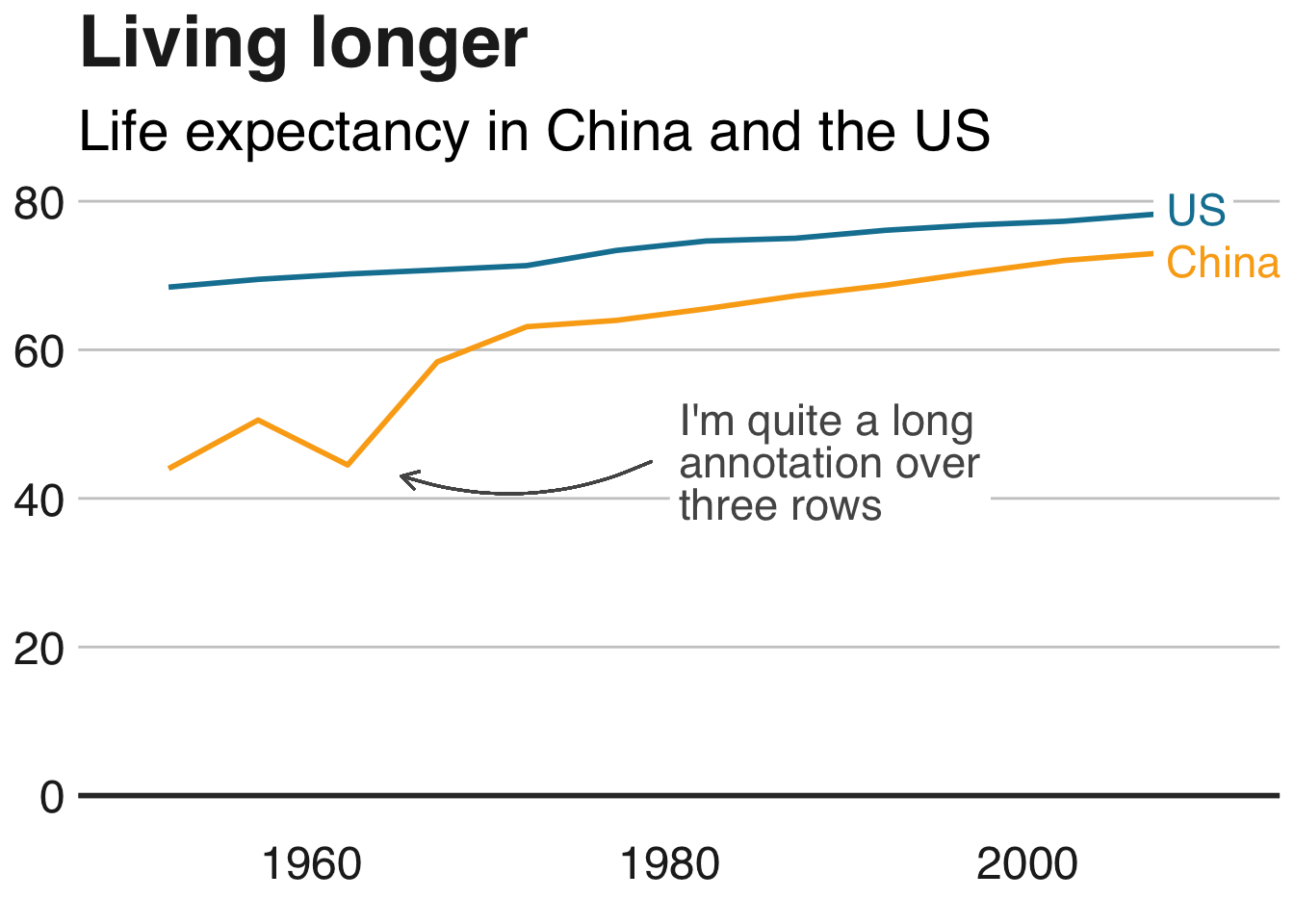
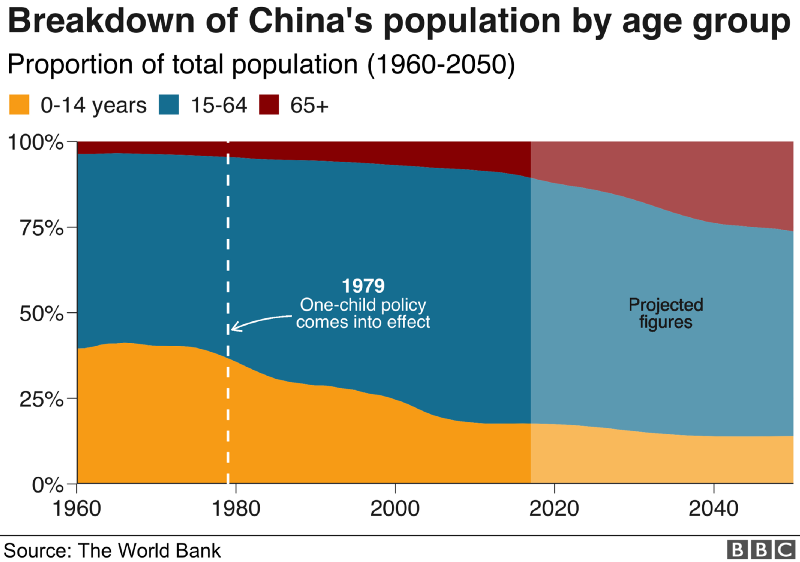
The BBC released a free cookbook for data visualization using R programming. Here is the associated Medium post announcing the book.

The BBC data team developed an R package (bbplot) which makes the process of creating publication-ready graphics in their in-house style using R’s ggplot2 library a more reproducible process, as well as making it easier for people new to R to create graphics.

Apart from sharing several best practices related to data visualization, they walk you through the steps and R code to create graphs such as the below:

One of the graphs the BBC cookbook will help you create, via https://bbc.github.io/rcookbook/

Economist

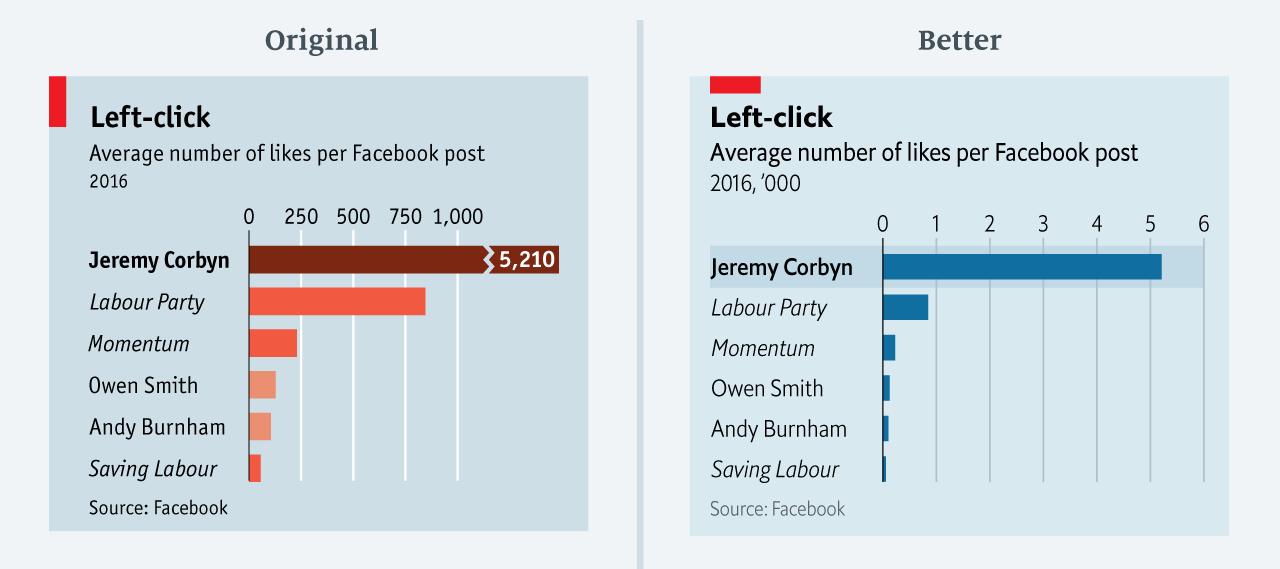
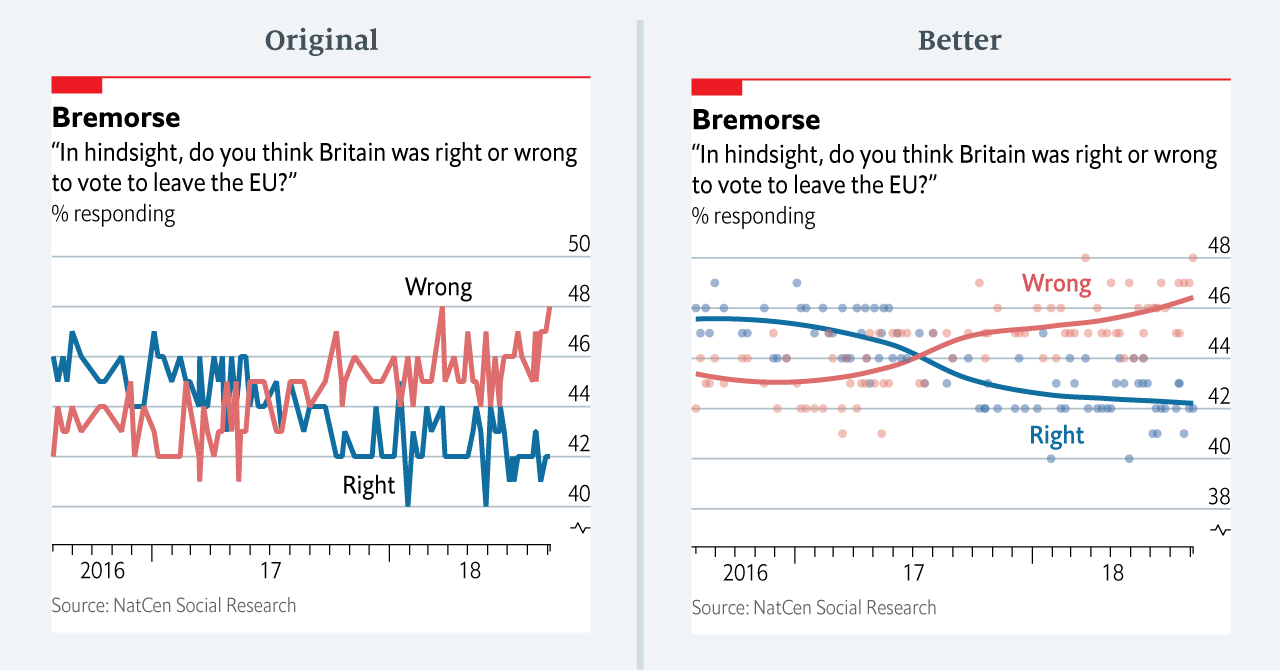
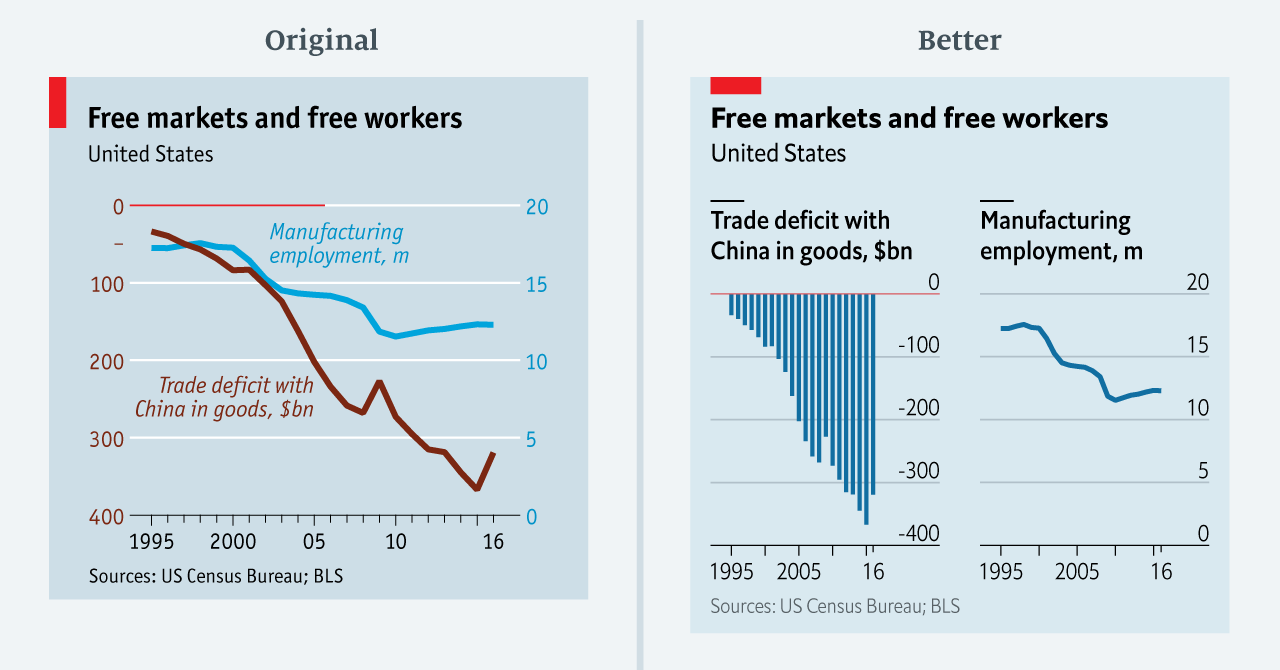
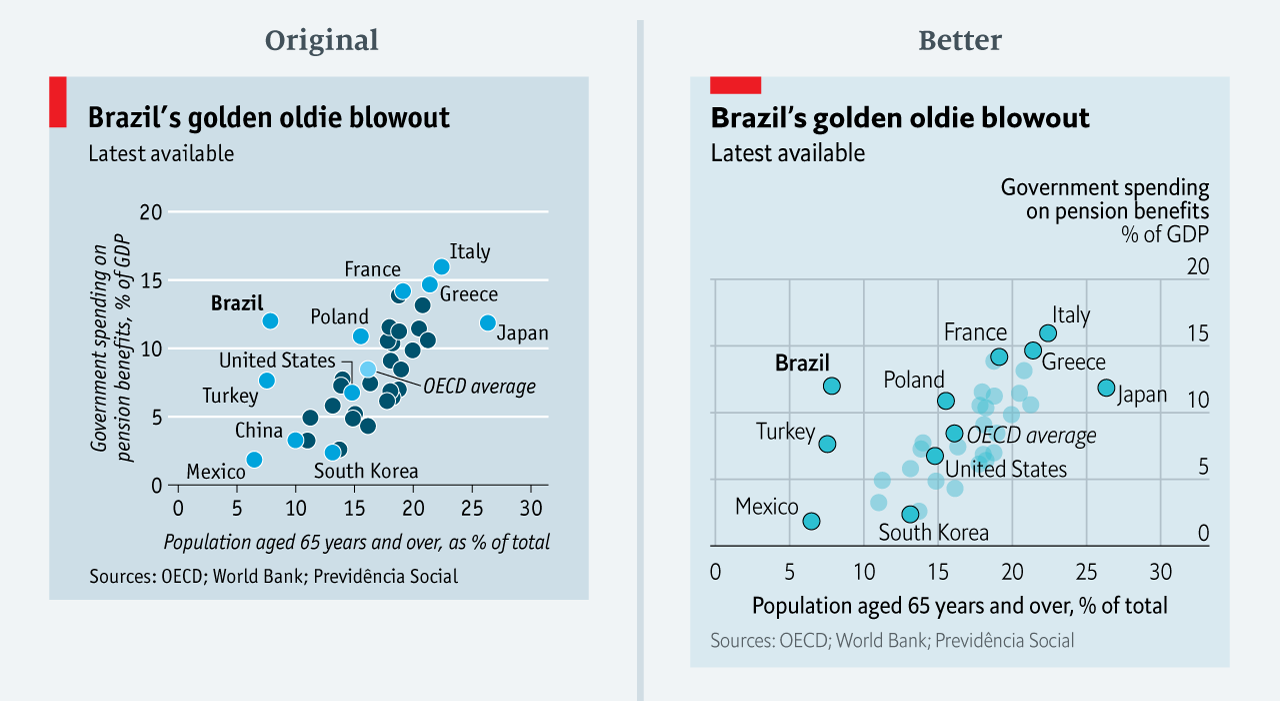
The data team at the Economist also felt a need to share their lessons learned via Medium. They show some of their most misleading, confusing, and failing graphics of the past years, and share the following mistakes and their remedies:

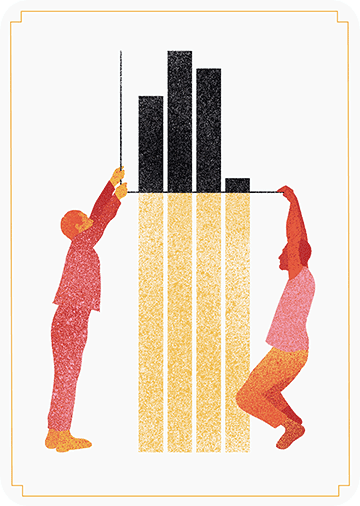
  • Truncating the scale (image #1 below)
  • Forcing a relationship by cherry-picking scales
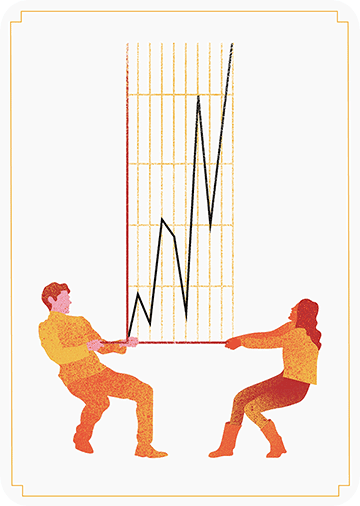
  • Choosing the wrong visualisation method (image #2 below)
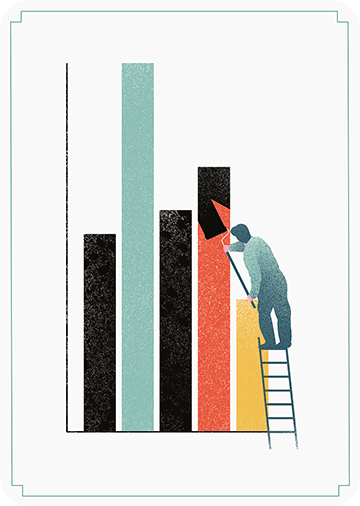
  • Taking the “mind-stretch” a little too far (image #3 below)
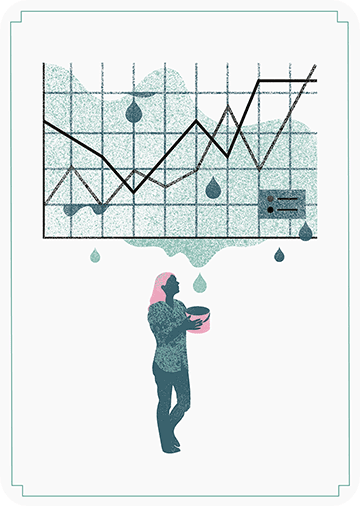
  • Confusing use of colour (image #4 below)
  • Including too much detail
  • Lots of data, not enough space

Moreover, they share the data behind these failing and repaired data visualizations:

Via https://medium.economist.com/mistakes-weve-drawn-a-few-8cdd8a42d368

FiveThirtyEight

I could not resist including this (older) overview of the 52 best charts FiveThirtyEight claimed they made.

All 538’s data visualizations are just stunningly beautiful and often very
ingenious, using new chart formats to display complex patterns. Moreover, the range of topics they cover is huge. Anything ranging from their traditional background — politics — to great cover stories on sumo wrestling and pricy wine.

Viahttps://fivethirtyeight.com/features/the-52-best-and-weirdest-charts-we-made-in-2016/
Via https://fivethirtyeight.com/features/the-52-best-and-weirdest-charts-we-made-in-2016/ You should definitely check out the original cover story via https://projects.fivethirtyeight.com/sumo/
Via https://fivethirtyeight.com/features/the-52-best-and-weirdest-charts-we-made-in-2016/

18 Pitfalls of Data Visualization

18 Pitfalls of Data Visualization

Maarten Lambrechts is a data journalist I closely follow online, with great delight. Recently, he shared on Twitter his slidedeck on the 18 most common data visualization pitfalls. You will probably already be familiar with most, but some (like #14) were new to me:

  1. Save pies for dessert
  2. Don’t cut bars
  3. Don’t cut time axes
  4. Label directly
  5. Use colors deliberately
  6. Avoid chart junk
  7. Scale circles by area
  8. Avoid double axes
  9. Correlation is no causality
  10. Don’t do 3D
  11. Sort on the data
  12. Tell the story
  13. 1 chart, 1 message
  14. Common scales on small mult’s
  15. #Endrainbow
  16. Normalise data on maps
  17. Sometimes best map is no map
  18. All maps lie

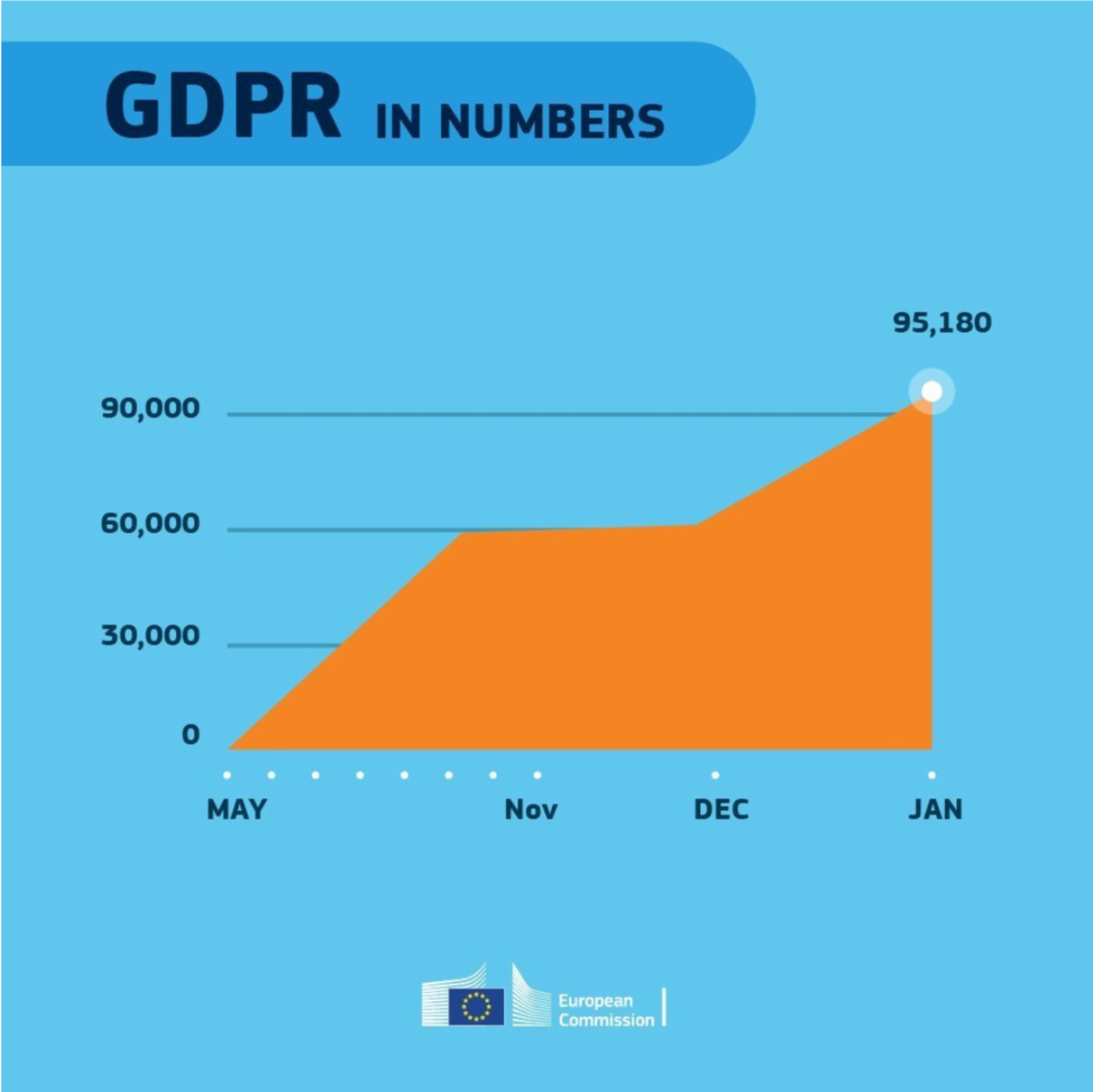
Even though most of these 18 rules below seem quite obvious, even the European Commissions seems to break them every now and then:

Can you spot what’s wrong with this graph?

Play Your Charts Right: Tips for Effective Data Visualization – by Geckoboard

Play Your Charts Right: Tips for Effective Data Visualization – by Geckoboard

In a world where data really matters, we all want to create effective charts. But data visualization is rarely taught in schools, or covered in on-the-job training. Most of us learn as we go along, and therefore we often make choices or mistakes that confuse and disorient our audience.
From overcomplicating or overdressing our charts, to conveying an entirely inaccurate message, there are common design pitfalls that can easily be avoided. We’ve put together these pointers to help you create simpler charts that effectively get across the meaning of your data.

Geckoboard

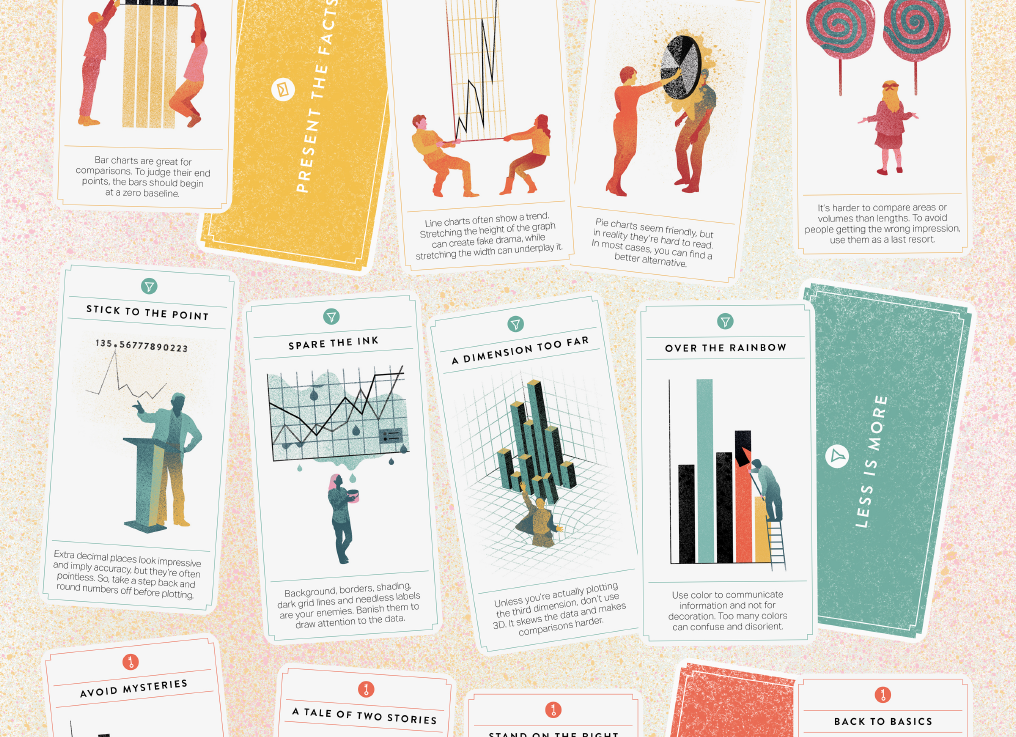
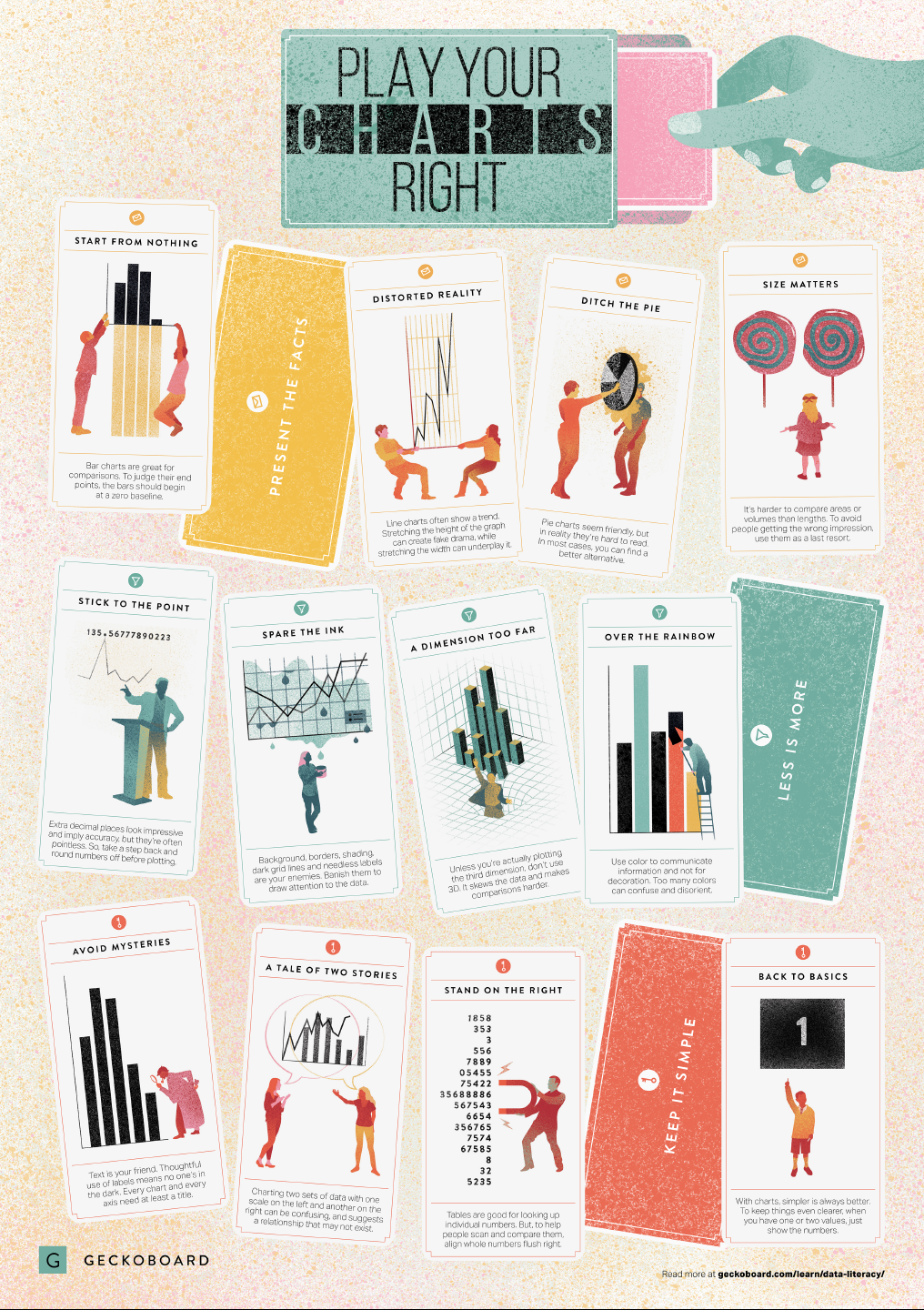
Based on work by experts such as Stephen Few, Dona Wong, Albert Cairo, Cole Nussbaumer Knaflic, and Andy Kirk, the authors at Geckoboard wrote down a list of recommendations which I summarize below:

Present the facts

  • Start your axis at zero whenever possible, to prevent misinterpretation. Particularly bar charts.
  • The width and height of line and scatter plots influence its messages.
  • Area and size are hard to interpret. Hence, there’s often a better alternative to the pie chart. Read also this.

Less is more

  • Use colors for communication, not decoration.
  • Diminish non-data ink, to draw attention to that which matters.
  • Do not use the third dimension, unless you are plotting it.
  • Avoid overselling numerical accuracy with precise decimal values.

Keep it simple

  • Annotate your plots; include titles, labels or scales.
  • Avoid squeezing too much information in a small space. For example, avoid a second x- or y-axis whenever possible.
  • Align your numbers right, literally.
  • Don’t go for fancy; go for clear. If you have few values, just display the values.

Infographic summary

Avoid bar plots for continuous data! Do this instead:

Avoid bar plots for continuous data! Do this instead:

Tracey Weissgerber, Natasa Milic, Stacey Winham, and Vesna Garovic wrote this interesting 2015 paper on bar graphs. By a systematic review of physiology research, they demonstrate we need to reconsider how we present continuous data in small samples.

Bar and line plots are commonly used to display continuous data. This is problematic, as many different data distributions can lead to the same bar or line graph. Nevertheless, the rarely used scatterplots, box plots, and histograms much better allow users to critically evaluate continuous data.

They provide many interesting visuals that underline their argument.

For instance, the four datasets below (B, C, D, and E) will all result in the same barplot (A), whereas they demonstrate quite different characteristics.

Alternatively, bar plots are often used for to display group means when observations within groups may not be independent. For instance, it could be that the bars below represent two measurement occassians, and that each of our sampled observations occurs in both. In that case, the scatterplots with connected dots may be more suitable. While the bars in plot A would represent datasets B, C, and D, these are clearly different when viewed in scatterplots. 

Also, a lot of meaningful information is typically lost in bar plots. For instance, the number of observations in a group. But also the distribution of values. While the former can be added (see B below), the latter can much better be shown in a scatter plot like C (below).

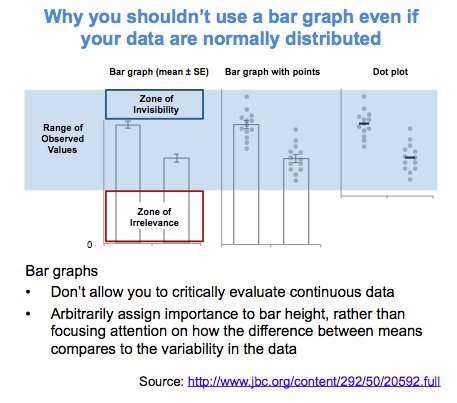
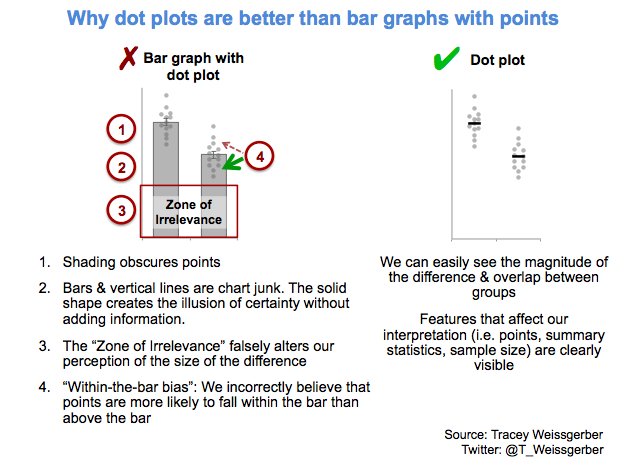
Actually, in a later blog post, lead researcher Tracey Weissgerber  shares the below visual. It highlights the distractive irrelevance of bar plot and the information that is lost (becomes invisible) when opting for a bar chart.

Tracey refactored this into a similar visual of her own:

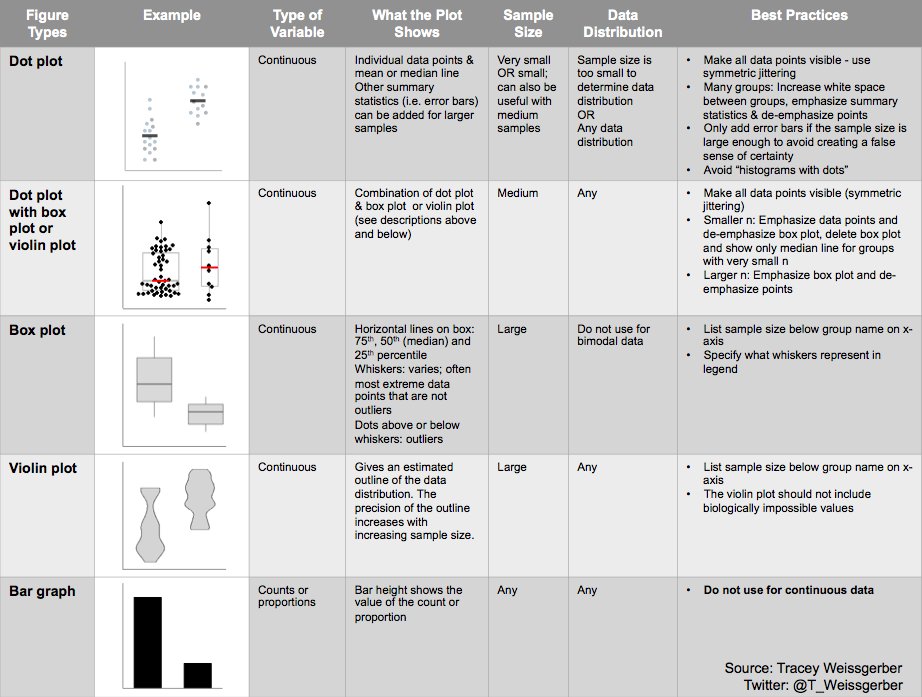
So what can you do instead, you may ask yourself. To this question too, Tracey has an answer, sharing the below overview of alternatives options:

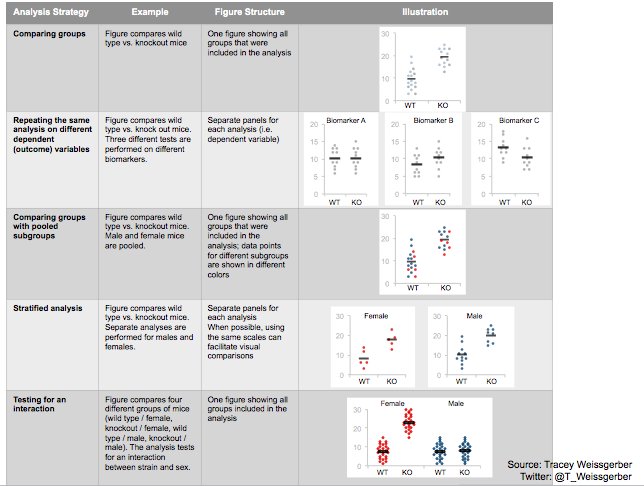
She made another overview which may help you pick the best visual for your data. This one takes your intention behind the visual as a starting point, though is unfortunately a bit low quality: