Category: programming

How to Write a Git Commit Message, in 7 Steps

How to Write a Git Commit Message, in 7 Steps

Version control is an essential tool for any software developer. Hence, any respectable data scientist has to make sure his/her analysis programs and machine learning pipelines are reproducible and maintainable through version control.

Often, we use git for version control. If you don’t know what git is yet, I advise you begin here. If you work in R, start here and here. If you work in Python, start here.

This blog is intended for those already familiar working with git, but who want to learn how to write better, more informative git commit messages. Actually, this blog is just a summary fragment of this original blog by Chris Beams, which I thought deserved a wider audience.

Chris’ 7 rules of great Git commit messaging

  1. Separate subject from body with a blank line
  2. Limit the subject line to 50 characters
  3. Capitalize the subject line
  4. Do not end the subject line with a period
  5. Use the imperative mood in the subject line
  6. Wrap the body at 72 characters
  7. Use the body to explain what and why vs. how

For example:

Summarize changes in around 50 characters or less

More detailed explanatory text, if necessary. Wrap it to about 72
characters or so. In some contexts, the first line is treated as the
subject of the commit and the rest of the text as the body. The
blank line separating the summary from the body is critical (unless
you omit the body entirely); various tools like `log`, `shortlog`
and `rebase` can get confused if you run the two together.

Explain the problem that this commit is solving. Focus on why you
are making this change as opposed to how (the code explains that).
Are there side effects or other unintuitive consequences of this
change? Here's the place to explain them.

Further paragraphs come after blank lines.

 - Bullet points are okay, too

 - Typically a hyphen or asterisk is used for the bullet, preceded
   by a single space, with blank lines in between, but conventions
   vary here

If you use an issue tracker, put references to them at the bottom,
like this:

Resolves: #123
See also: #456, #789

If you’re having a hard time summarizing your commits in a single line or message, you might be committing too many changes at once. Instead, you should try to aim for what’s called atomic commits.

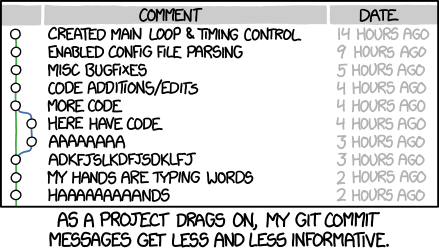
Cover image by XKCD#1296

A free, self-taught education in Computer Science!

A free, self-taught education in Computer Science!

The Open Source Society University offers a complete education in computer science using online materials.

They offer a proper introduction to the fundamental concepts for all computing disciplines. Evyerthing form algorithms, logic, and machine learning, up to databases, full stack web development, and graphics is covered. Moreover, you will acquire skills in a variety of languages, including Python, Java, C, C++, Scala, JavaScript, and many more.

According to their GitHub page, the curriculum is suited for people with the discipline, will, and good habits to obtain this education largely on their own, but who’d still like support from a worldwide community of fellow learners.

Curriculum

  • Intro CS: for students to try out CS and see if it’s right for them
  • Core CS: corresponds roughly to the first three years of a computer science curriculum, taking classes that all majors would be required to take
  • Advanced CS: corresponds roughly to the final year of a computer science curriculum, taking electives according to the student’s interests
  • Final Project: a project for students to validate, consolidate, and display their knowledge, to be evaluated by their peers worldwide
  • Pro CS: graduate-level specializations students can elect to take after completing the above curriculum if they want to maximize their chances of getting a good job

It is possible to finish Core CS within about 2 years if you plan carefully and devote roughly 18-22 hours/week to your studies. Courses in Core CS should be taken linearly if possible, but since a perfectly linear progression is rarely possible, each class’s prerequisites are specified so that you can design a logical but non-linear progression based on the class schedules and your own life plans.

Links to the contents

Links to the curriculum (v8.0.0)

Predictive Power Score: Finding predictive patterns in your dataset

Predictive Power Score: Finding predictive patterns in your dataset

Update March, 2021: My R package for the predictive power score (ppsr) is live on CRAN!
Try install.packages("ppsr") in your R terminal to get the latest version.

Last week, I shared this Medium blog on PPS — or Predictive Power Score — on my LinkedIn and got so many enthousiastic responses, that I had to share it with here too.

Basically, the predictive power score is a normalized metric (values range from 0 to 1) that shows you to what extent you can use a variable X (say age) to predict a variable Y (say weight in kgs).

A PPS high score of, for instance, 0.85, would show that weight can be predicted pretty good using age.

A low PPS score, of say 0.10, would imply that weight is hard to predict using age.

The PPS acts a bit like a correlation coefficient we’re used too, but it is also different in many ways that are useful to data scientists:

  1. PPS also detects and summarizes non-linear relationships
  2. PPS is assymetric, so that it models Y ~ X, but not necessarily X ~ Y
  3. PPS can summarize predictive value of / among categorical variables and nominal data

However, you may argue that the PPS is harder to interpret than the common correlation coefficent:

  1. PPS can reflect quite complex and very different patterns
  2. Therefore, PPS are hard to compare: a 0.5 may reflect a linear relationship but also many other relationships
  3. PPS are highly dependent on the used algorithm: you can use any algorithm from OLS to CART to full-blown NN or XGBoost. Your algorithm hihgly depends the patterns you’ll detect and thus your scores
  4. PPS are highly dependent on the the evaluation metric (RMSE, MAE, etc).

Here’s an example picture from the original blog, showing a case in which PSS shows the relevant predictive value of Y ~ X, whereas a correlation coefficient would show no relationship whatsoever:

https://towardsdatascience.com/rip-correlation-introducing-the-predictive-power-score-3d90808b9598

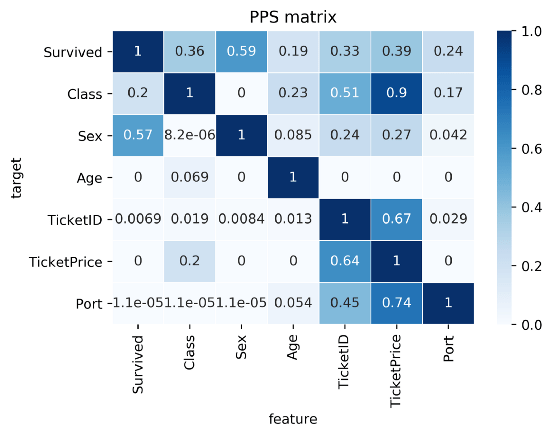
Here’s two more pictures from the original blog showing the differences with a standard correlation matrix on the Titanic data:

I highly suggest you read the original blog for more details and information, and that you check out the associated Python package ppscore:

Installing the package:

pip install ppscore

Calculating the PPS for a given pandas dataframe:

import ppscore as pps
pps.score(df, "feature_column", "target_column")

You can also calculate the whole PPS matrix:

pps.matrix(df)

There’s no R package yet, but it should not be hard to implement this general logic.

Florian Wetschoreck — the author — already noted that there may be several use cases where he’d think PPS may add value:

Find patterns in the data [red: data exploration]: The PPS finds every relationship that the correlation finds — and more. Thus, you can use the PPS matrix as an alternative to the correlation matrix to detect and understand linear or nonlinear patterns in your data. This is possible across data types using a single score that always ranges from 0 to 1.

Feature selection: In addition to your usual feature selection mechanism, you can use the predictive power score to find good predictors for your target column. Also, you can eliminate features that just add random noise. Those features sometimes still score high in feature importance metrics. In addition, you can eliminate features that can be predicted by other features because they don’t add new information. Besides, you can identify pairs of mutually predictive features in the PPS matrix — this includes strongly correlated features but will also detect non-linear relationships.

Detect information leakage: Use the PPS matrix to detect information leakage between variables — even if the information leakage is mediated via other variables.

Data Normalization: Find entity structures in the data via interpreting the PPS matrix as a directed graph. This might be surprising when the data contains latent structures that were previously unknown. For example: the TicketID in the Titanic dataset is often an indicator for a family.

https://towardsdatascience.com/rip-correlation-introducing-the-predictive-power-score-3d90808b9598
Generative art: Let your computer design you a painting

Generative art: Let your computer design you a painting

I really like generative art, or so-called algorithmic art. Basically, it means you take a pattern or a complex system of rules, and apply it to create something new following those patterns/rules.

When I finished my PhD, I got a beautiful poster of where the k-nearest neighbors algorithms was used to generate a set of connected points.

Marcus Volz’ nearest neighbors graph, via https://marcusvolz.com/#nearest-neighbour-graph

My first piece of generative art.

As we recently moved into our new house, I decided I wanted to have a brother for the knn-poster. So I did some research in algorithms I wanted to use to generate a painting. I found some very cool ones, of which I unforunately can’t recollect the artists anymore:

However, I preferred to make one myself. So we again turned to the work of the author that made the knn-poster: Marcus Volz.

He has written (in R) many other algorithms. And we found that one specifically nicely matched the knn-poster. His metropolis – or generative city:

Marcus’ generative city, via https://marcusvolz.com/#generative-city

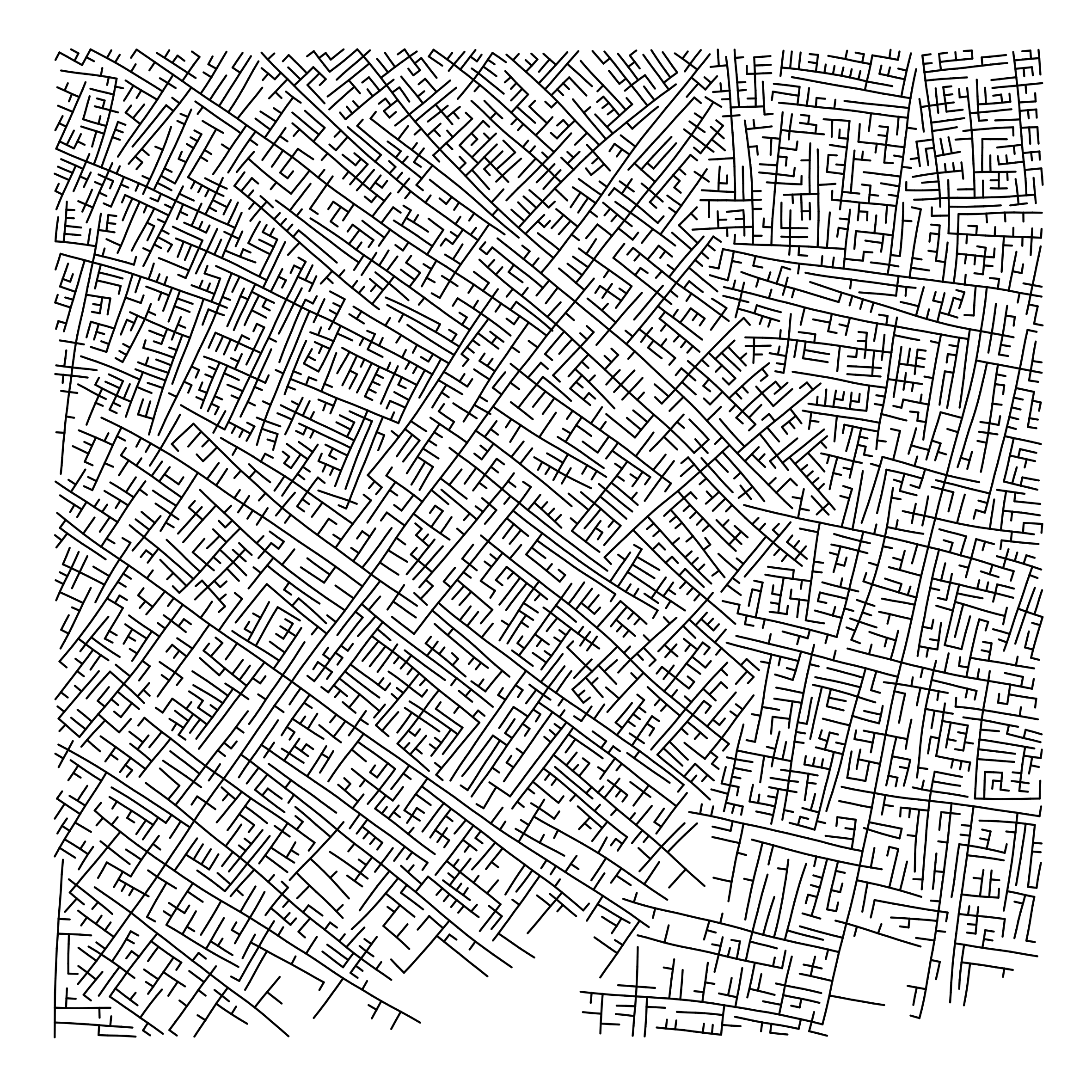
However, I wanted to make one myself, so I download Marcus code, and tweaked it a bit. Most importantly, I made it start in the center, made it fill up the whole space, and I made it run more efficient so I could generate a couple dozen large cities quickly, and pick the one I liked most. Here’s the end result:

And in action, in my living room:

You can find my code here on github.

PyBoy: A Python GameBoy Emulator

PyBoy: A Python GameBoy Emulator

If you are looking for a project to build a bot or AI application, look no further.

Enter the stage, PyBoy, a Nintendo Game Boy (DMG-01 [1989]) written in Python 2.7. The implementation runs in almost pure Python, but with dependencies for drawing graphics and getting user interactions through SDL2 and NumPy.

PyBoy is great for your AI robot projects as it is loadable as an object in Python. This means, it can be initialized from another script, and be controlled and probed by the script. You can even use multiple emulators at the same time, just instantiate the class multiple times.

The imagery suggests you can play anything from classic Super Mario to Pokemon. I suggest you start with the github, background report and PyBoy documentation right away.

Go catch ’em all!

Or get a bot to catch ’em all for you!

GitHub - Baekalfen/PyBoy: Game Boy emulator written in Python
Free Springer Books during COVID19

Free Springer Books during COVID19

Update: Unfortunately, Springer removed the free access to its books.

Book publisher Springer just released over 400 book titles that can be downloaded free of charge following the corona-virus outbreak.

Here’s the full overview: https://link.springer.com/search?facet-content-type=%22Book%22&package=mat-covid19_textbooks&facet-language=%22En%22&sortOrder=newestFirst&showAll=true

Most of these books will normally set you back about $50 to $150, so this is a great deal!

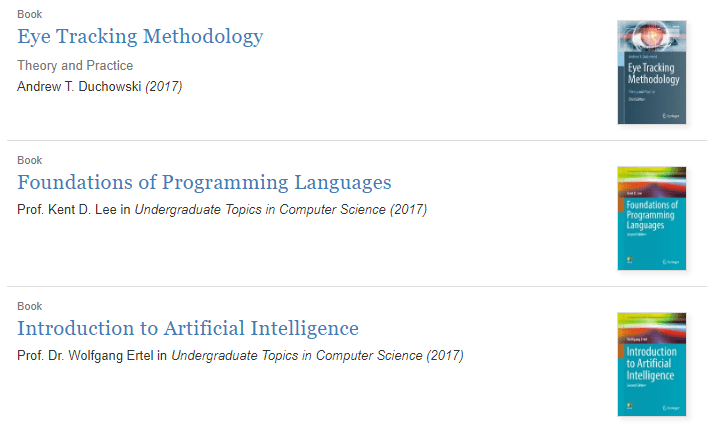
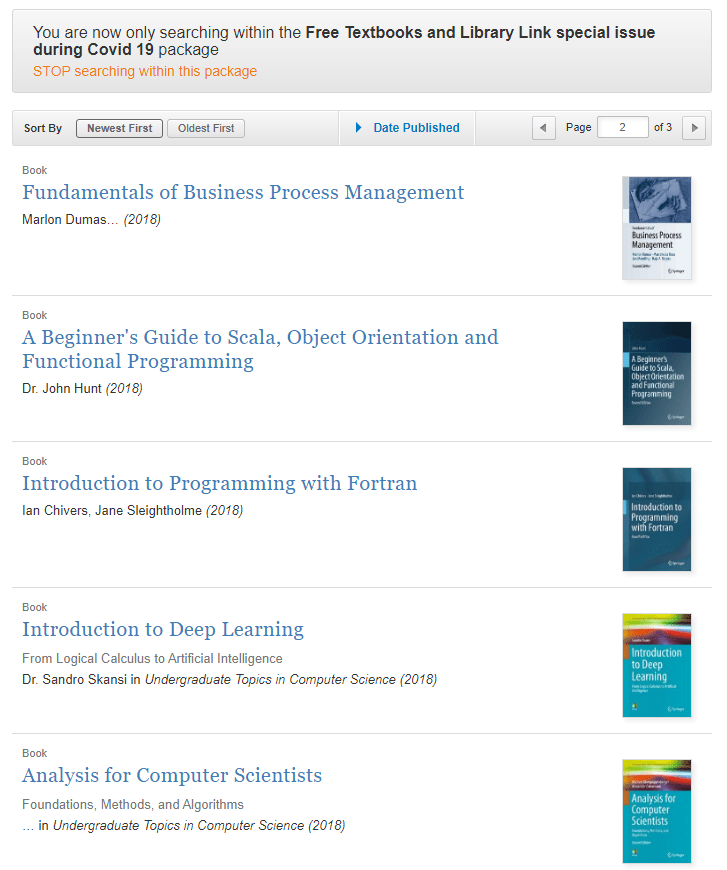
There are many titles on computer science, programming, business, psychology, and here are some specific titles that might interest my readership:

Note that I only got to page 8 of 21, so there are many more free interesting titles out there!

Join 385 other subscribers