Ever wondered what it is like to program computer games?
Or even better, what it is like to program programs that program your computer games for you? Then welcome to the wonderful world of procedural game design, such as Spore, Borderlands, and No Man’s Sky.
Recently, I have been watching and greatly enjoying this Youtube playlist of the South-African Sebastian Lague. In a series of nine videos, Sebastian programs a procedural cave generator from scratch. The program generates a pseudo-random cave, following some sensible constraints, everytime its triggered.
The following is Sebastian’s first video in the series labeled: Learn how to create procedurally generated caverns/dungeons for your games using cellular automata and marching squares.
More in line with my blog’s main topics, Sebastian also hosts a series on neural networks, which I will most probably watch and report on over the course of the coming weeks:
The BBC data team developed an R package (bbplot) which makes the process of creating publication-ready graphics in their in-house style using R’s ggplot2 library a more reproducible process, as well as making it easier for people new to R to create graphics.
Apart from sharing several best practices related to data visualization, they walk you through the steps and R code to create graphs such as the below:
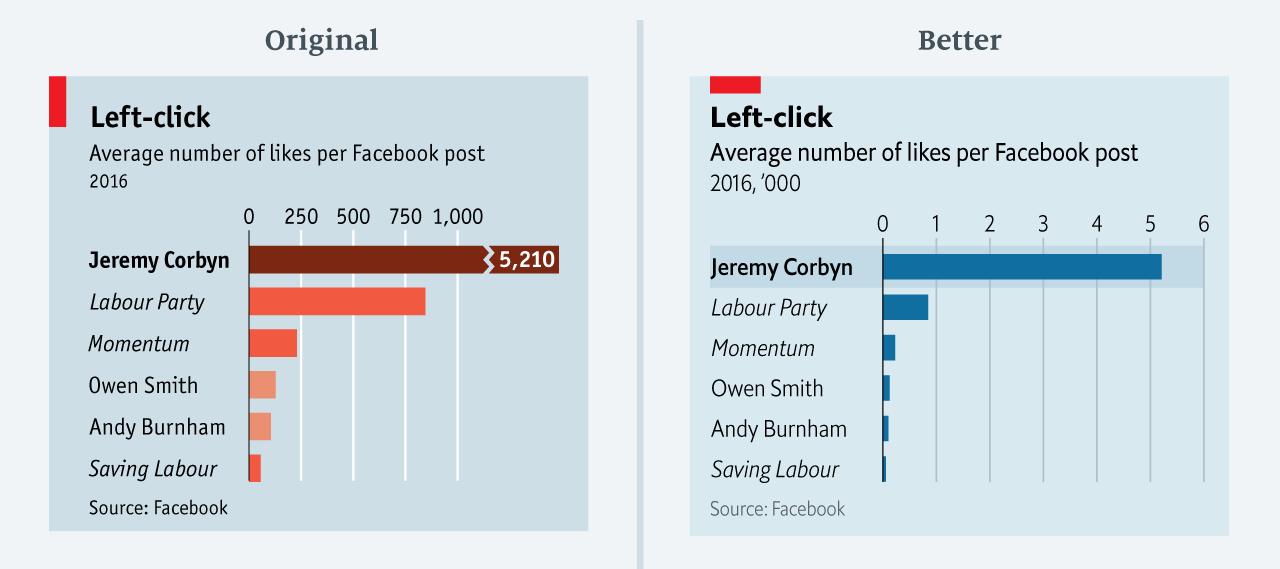
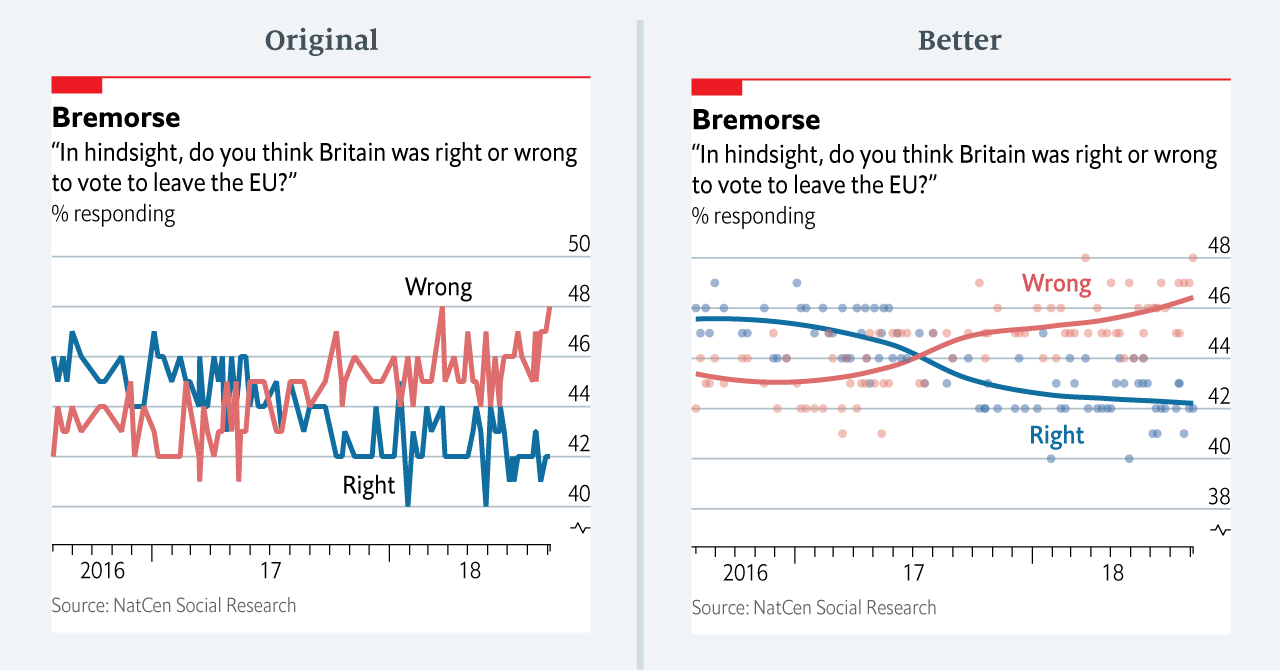
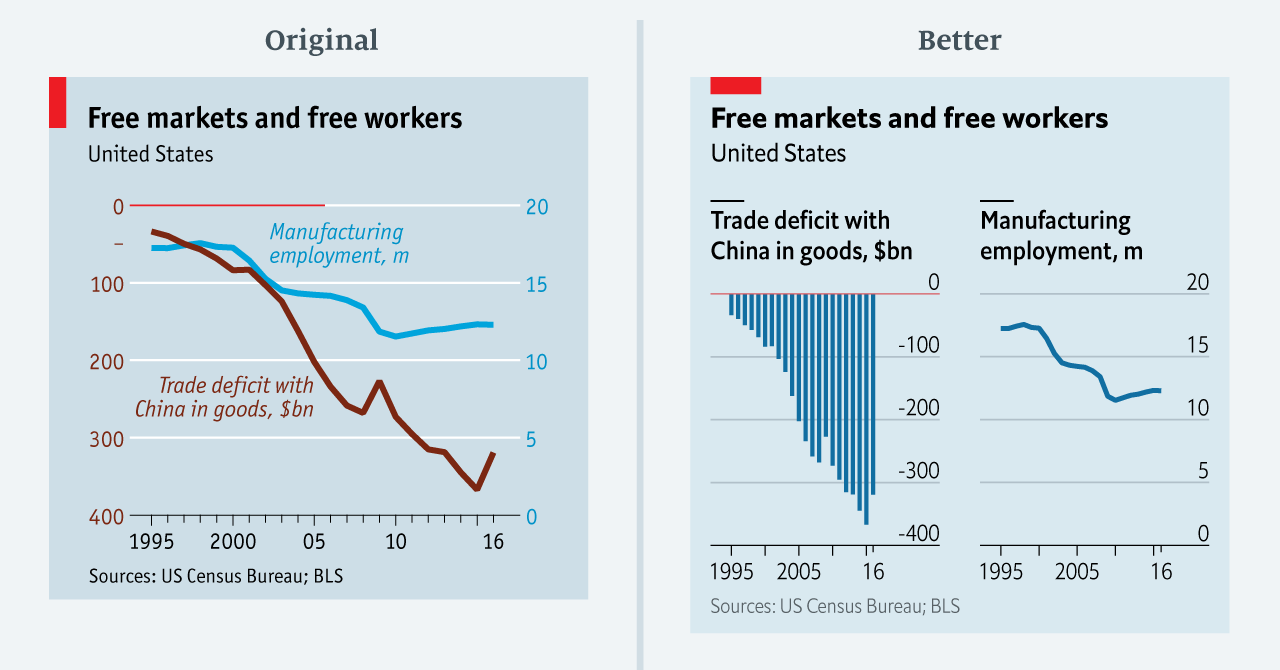
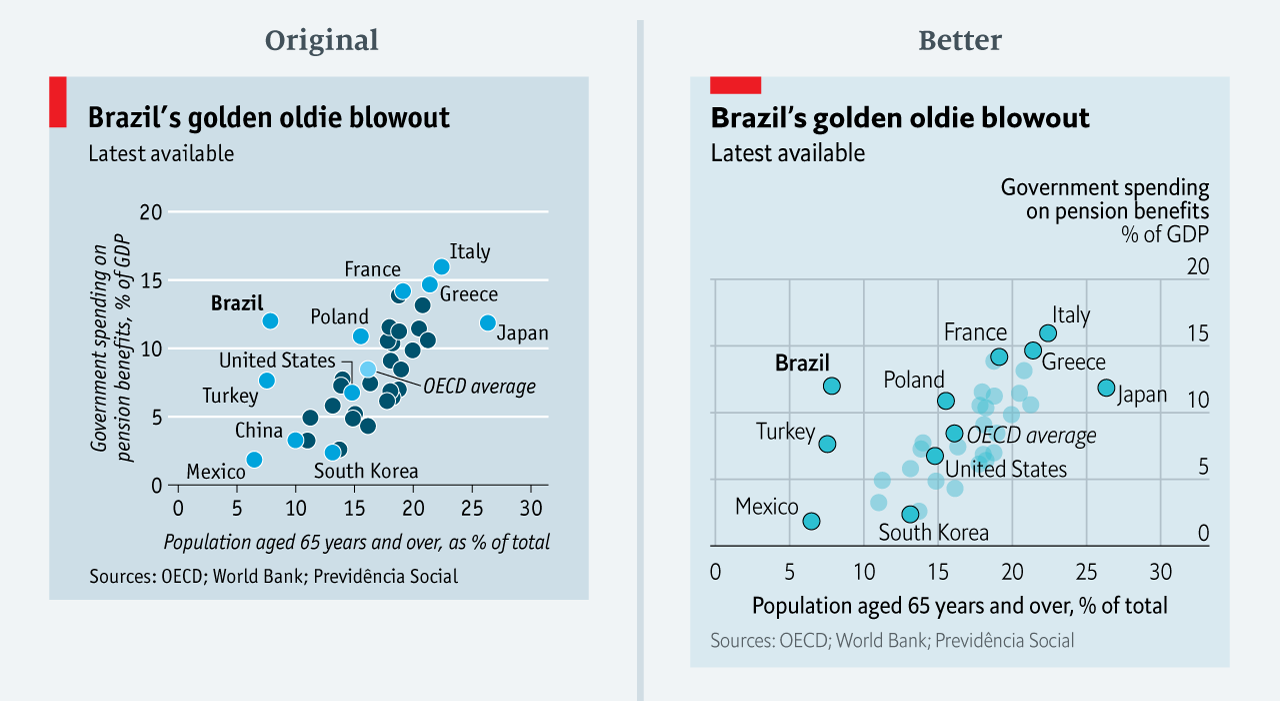
The data team at the Economist also felt a need to share their lessons learned via Medium. They show some of their most misleading, confusing, and failing graphics of the past years, and share the following mistakes and their remedies:
Truncating the scale (image #1 below)
Forcing a relationship by cherry-picking scales
Choosing the wrong visualisation method (image #2 below)
Taking the “mind-stretch” a little too far (image #3 below)
Confusing use of colour (image #4 below)
Including too much detail
Lots of data, not enough space
Moreover, they share the data behind these failing and repaired data visualizations:
All 538’s data visualizations are just stunningly beautiful and often very ingenious, using new chart formats to display complex patterns. Moreover, the range of topics they cover is huge. Anything ranging from their traditional background — politics — to great cover stories on sumo wrestling and pricy wine.
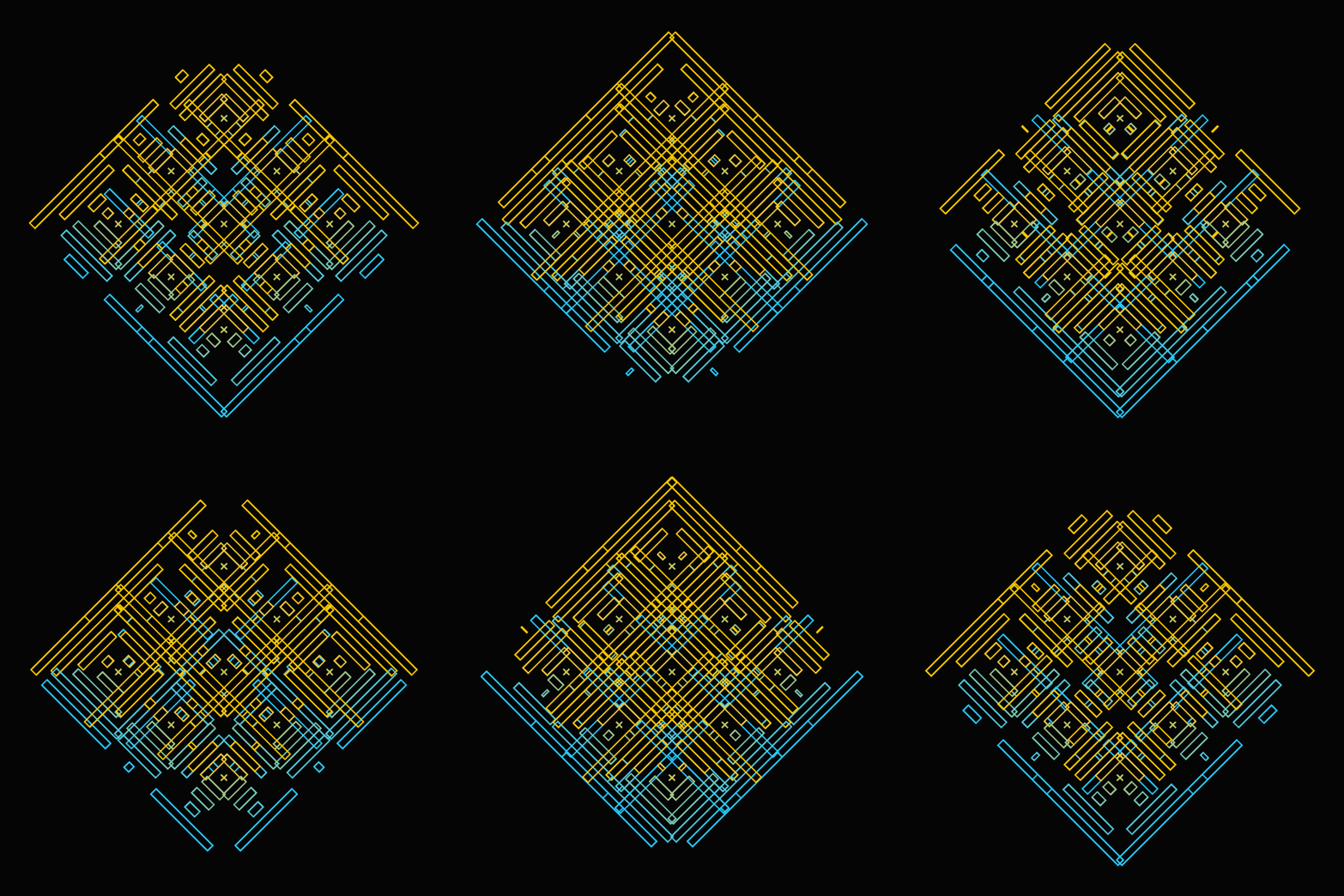
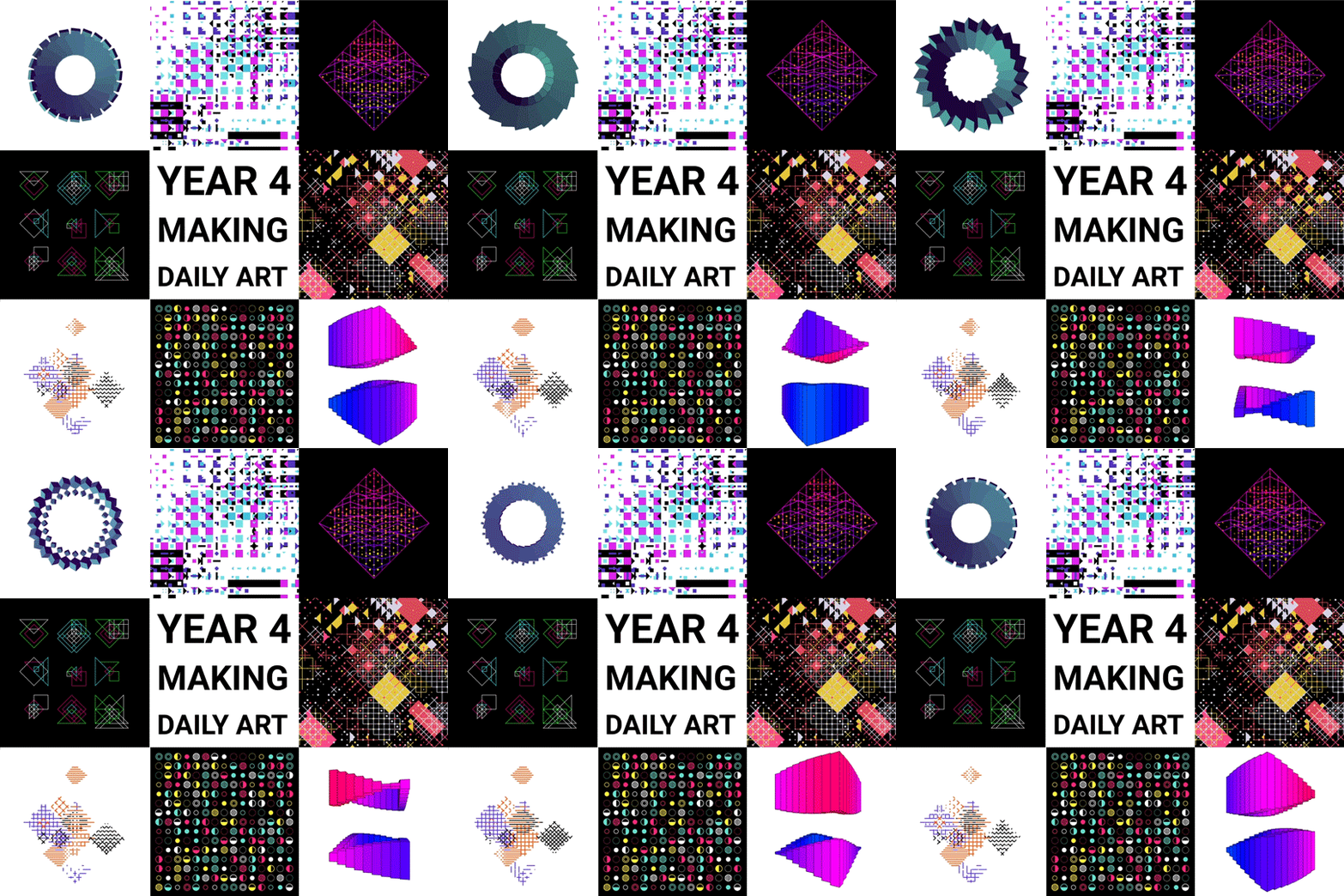
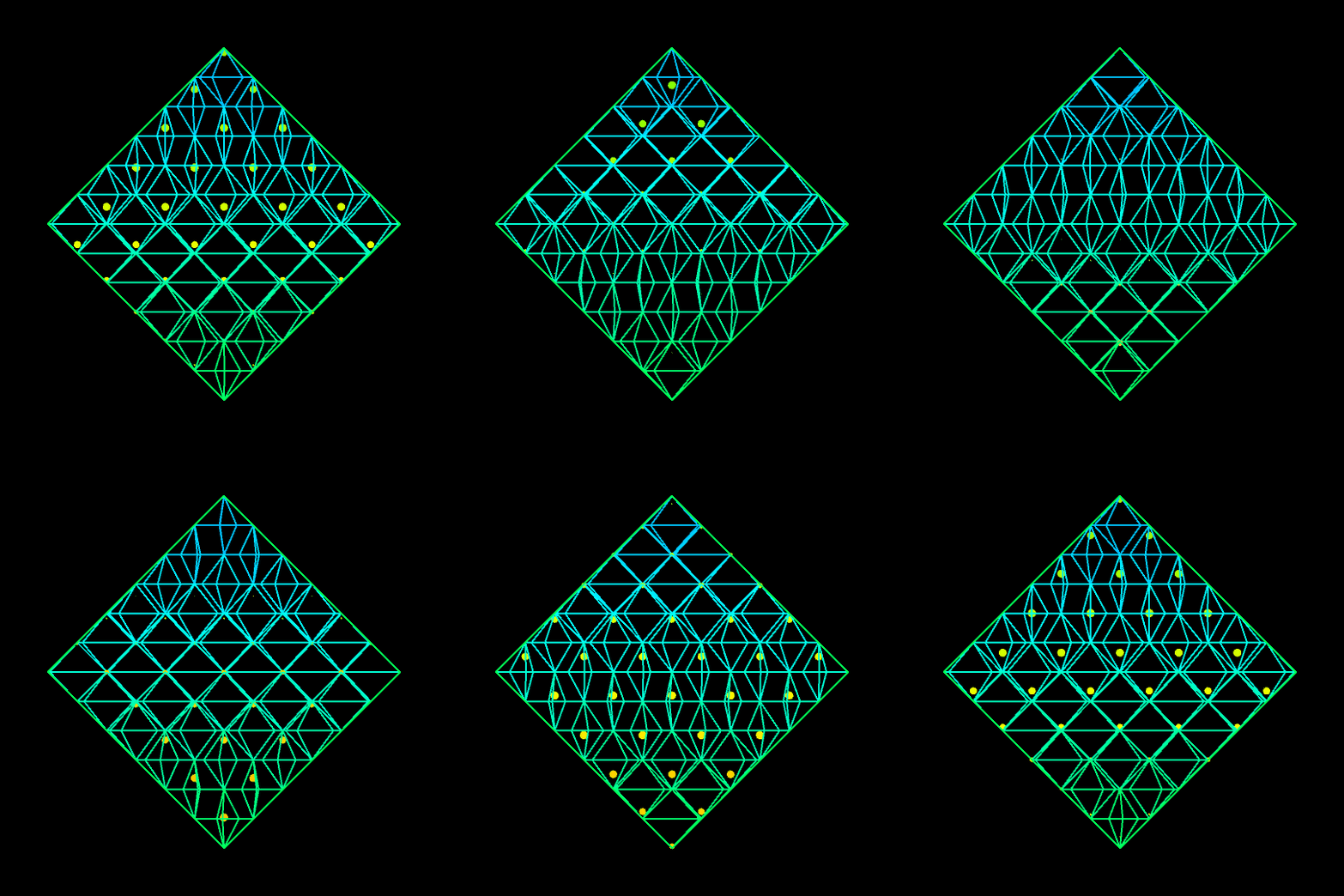
Saskia Freeke (twitter) is a Dutch artist, creative coder, interaction designer, visual designer, and educator working from Amsterdam. She has been creating an awesome digital art piece for every day since January 1st 2015. Her ever-growing collection includes some animated, visual masterpieces.
A while back I discovered this free game called Screeps: an RTS colony-simulation game specifically directed AI programmers. I was immediately intrigued by the concept, but it took me a while to find the time and courage to play. When I finally got to playing though, I lost myself in the game for several days on end.
Screeps means “scripting creeps.”
It’s an open-source sandbox MMO RTS game for programmers, wherein the core mechanic is programming your units’ AI. You control your colony by writing JavaScript which operate 24/7 in the single persistent real-time world filled by other players on par with you.
Basically, screeps is very little game. You start with in a randomly generated canyon of some 400 by 400 pixels, with nothing more than some basic resources and your base. Nothing fun will happen. Even better, nothing at all will happen. Unless you program it yourself.
As a player, it is your job to “script” your own creeps’ AI. And your buildings AI for that matter. You will need to write a program that makes your base spawn workers. And next those workers will need to be programmed to actually work. You need to direct them to go to the resources, explain them how to mine the resources, when to stop mining, and how to return the mined resources to your base. You will probably also want some soldiers and some other defenses, so those need to be spawned with their own special instructions as well.
Everything needs to be scripted well, as the game (and thus your screeps) runs on special servers, 24/7, so also when you are not playing yourself. Truly your personal, virtual, mini-AI colony.
The programming mostly occurs in JavaScript. This can be difficult for those like myself who do not know JavaScript, but even I managed to have some basic workers running up and down my screen in a matter of hours. Step by step, you will learn (be forced) to create different worker types (harvesters, builders, repairmen, and even some stupid soldiers) and even some basic colony management scripts (spawning workers, spending resources, upgrading stuff). In the mean time, you will silently learn some JavaScript while playing. As I put in more and more hours, I could even see how to improve on my earlier scripts. This makes screeps a fun and rewarding gaming and learning experience.
Do expect to run into frustrations though! If you’re no JavaScript expert you will personally create a lot of bugs. Of which the game by default send you messages, as your colony will get stuck overnight. Moreover, you will likely need to Google every single thing you want to do at the start. I found great help in this YouTube tutorial to get me started. Finally, you are only under nooby-protection for the first so-many hours, after which you will quickly get slaughtered by all the advanced multi-CPU players on the servers.
Heck, it was fun while it lasted : )
PS. I read here that, using WebAssembly, one could also compile code written in different languages and run it in Screeps: C/C++ or Rust code, as well as other supported languages.
Last year, inspired by a tweet from Ilya Kashnitsky, I wrote a snow animation which you can read all about here.
Now, this year, the old code no longer worked due to an update to the gganimate API. Hence, I was about to only refactor the code, but decided to give the whole thing a minor update. Below, you find the 2.0 version of my R snow animation.
# CUSTOM FUNCTIONS #### map_to_range <- function(x, from, to) { # Shifting the vector so that min(x) == 0 x <- x - min(x) # Scaling to the range of [0, 1] x <- x / max(x) # Scaling to the needed amplitude x <- x * (to - from) # Shifting to the needed level x + from }
# CONSTANTS #### N <- 500 # number of flakes TIMES <- 100 # number of loops XPOS_DELTA <- 0.01 YSPEED_MIN = 0.005 YSPEED_MAX = 0.03 FLAKE_SIZE_COINFLIP = 5 FLAKE_SIZE_COINFLIP_PROB = 0.1 FLAKE_SIZE_MIN = 4 FLAKE_SIZE_MAX = 20
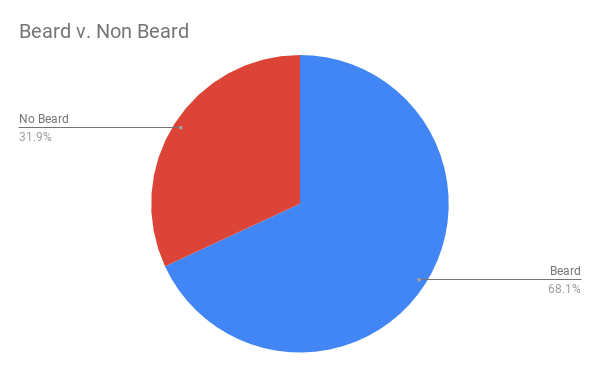
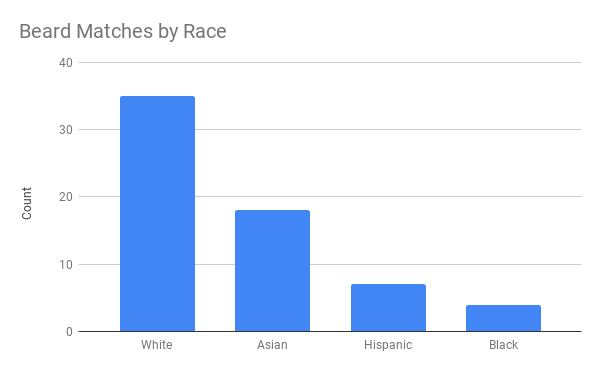
This WordPress blogger I came across — let’s call him “John” for now — has a very peculiar way of testing out his looks. Using dating-apps like Tinder, John conducted A/B-tests to find out whether people would prefer him romantically with or without a beard.
Via a proper experimental setup, John found out that bearded John receives much more attention in the form of Tinder matches. However, not from girls whom John characterized as being asian, that group seemed to prefer shaven John.
While the sample size was not too large (Nbearded = 500; Nshaven = 500) and the response rate even lower (Nbearded = 64; Nshaven = 30), this seems like a fun way to make your look more data-driven!
















 paulvanderlaken.com