Tag: bestpractices

7 Reasons You Should Use Dot Graphs, by Maarten Lambrechts

7 Reasons You Should Use Dot Graphs, by Maarten Lambrechts

In my data visualization courses, I often refer to the hierarchy of visual encoding proposed by Cleveland and McGill. In their 1984 paper, Cleveland and McGill proposed the table below, demonstrating to what extent different visual encodings of data allow readers of data visualizations to accurately assess differences between data values.

DOI: 10.2307/2288400

Since then, this table has been used and copied by many data visualization experts, and adapted to more visually appealing layouts. Like this one by Alberto Cairo, referred to in a blog by Maarten Lambrechts:

cleveland_mcgill_cairo
Via http://www.thefunctionalart.com/

Now, this brings me to the point of this current blog, in which I want to share an older post by Maarten Lambrechts. I came across Maarten’s post only yesterday, but it touches on many topics and content that I’ve covered earlier on my own website or during my courses. It’s mainly about the relative effectiveness and efficiency of using dots/points in data visualizations.

Basically, dots are often the most accurate and to the point (pun intended). With the latter, I mean in terms of inkt used, dots/points are more efficient than bars, or as Maarten says:

Points go beyond where lines and bars stop. Sounds weird, especially for those who remember from their math classes that a line is an infinite collection of points. But in visualization, points can do so much more then lines. Here are seven reasons why you should use more dot graphs, with some examples.

http://www.maartenlambrechts.com/2015/05/03/to-the-point-7-reasons-you-should-use-dot-graphs.html

Maarten touches on the research of Cleveland and McGill, on a PLOS article advocating avoiding bars for continuous data, and on how to redesign charts to make use of more efficiënt dot/point encodings. I really loved this one redesign example Maarten shares. Unfortunately, it is in Dutch, but both graphs show pretty much the same data, though the simpler one better communicates the main message.
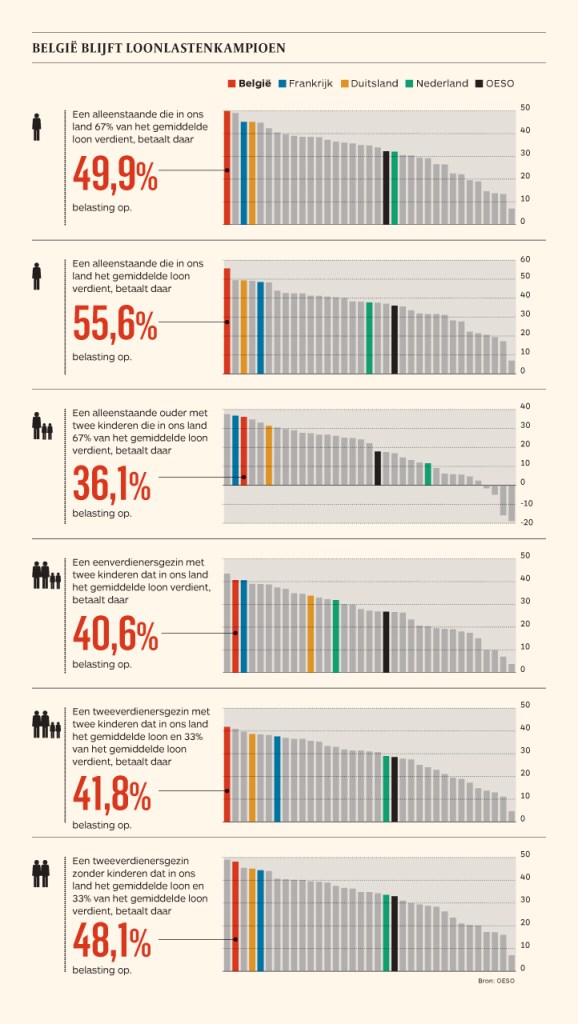
Do have a look at the rest of Maarten’s original blog post. I love how he ends it with some practical advice: A nice lookup table for those looking how to efficiently use points/dots to represent their n-dimensional data:

  • For comparisons of a single dimension across many categories: 1-dimensional scatterplot.
  • For detecting of skewed or bimodal distributions in 2 variables: connect 1-dimensional scatterplots (slopegraphs)
  • For showing relationships between 2 variables: 2-dimensional scatterplots.
  • For representing 4-dimensional data (3 numeric, 1 categorical or 4 numerical): bubble charts. Can also be used for 3 numerical dimensions or 2 numeric and 1 categorical value.
  • For representing 4-dimensional data +  time: animated bubble chart (aka Rosling-graph)
The Mental Game of Python, by Raymond Hettinger

The Mental Game of Python, by Raymond Hettinger

YouTube recommended I’d watch this recorded presentation by Raymond Hettinger at PyBay2019 last October. Quite a long presentation for what I’d normally watch, but what an eye-openers it contains!

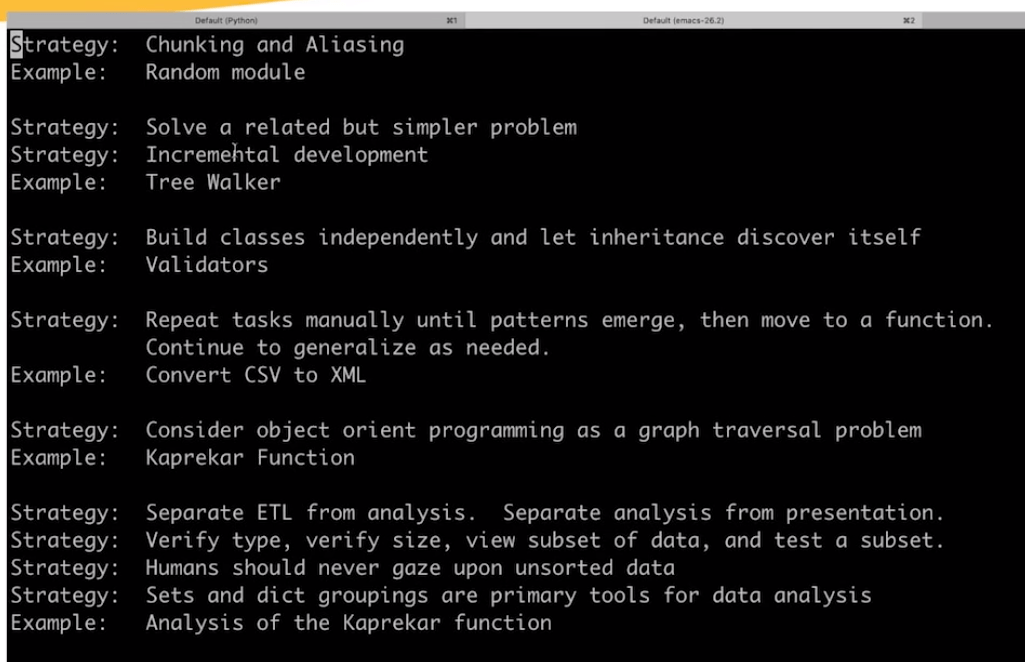
Raymond Hettinger is a Python core developer and in this video he presents 10 programming strategies in these 60 minutes, all using live examples. Some are quite obvious, but the presentation and examples make them very clear. Raymond presents some serious programming truths, and I think they’ll stick.

First, Raymond discusses chunking and aliasing. He brings up the theory that the human mind can only handle/remember 7 pieces of information at a time, give or take 2. Anything above proves to much cognitive load, and causes discomfort as well as errors. Hence, in a programming context, we need to make sure programmers can use all 7 to improve the code, rather than having to decypher what’s in front of them. In a programming context, we do so by modularizing and standardizing through functions, modules, and packages. Raymond uses the Python random module to hightlight the importance of chunking and modular code. This part was quite long, but still interesting.

For the next two strategies, Raymond quotes the Feinmann method of solving problems: “(1) write down a clear problem specification; (2) think very, very hard; (3) write down a solution”. Using the example of a tree walker, Raymond shows how the strategies of incremental development and solving simpler programs can help you build programs that solve complex problems. This part only lasts a couple of minutes but really underlines the immense value of these strategies.

Next, Raymond touches on the DRY principle: Don’t Repeat Yourself. But in a context I haven’t seen it in yet, object oriented programming [OOP], classes, and inherintance.

Raymond continues to build his arsenal of programming strategies in the next 10 minutes, where he argues that programmers should repeat tasks manually until patterns emerge, before they starting moving code into functions. Even though I might not fully agree with him here, he does have some fun examples of file conversion that speak in his case.

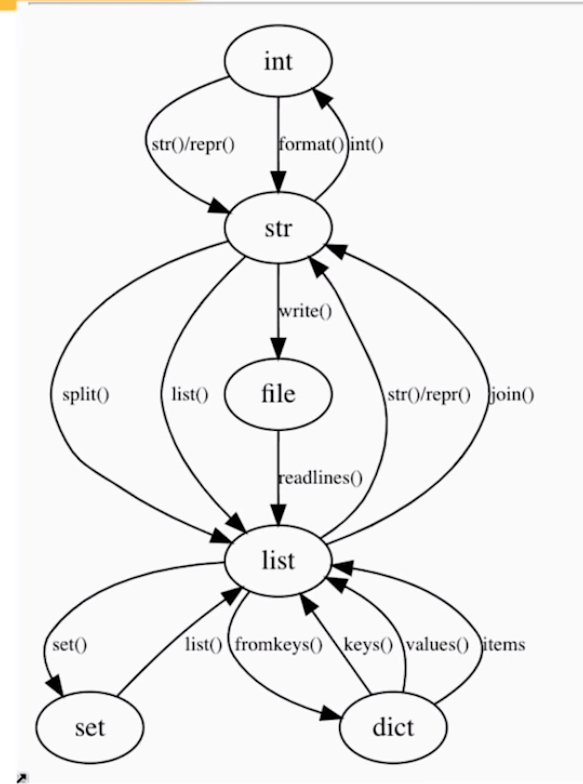
Lastly, Raymond uses the graph below to make the case that OOP is a graph traversal problem. According to Raymond, the Python ecosystem is so rich that there’s often no need to make new classes. You can simply look at the graph below. Look for the island you are currently on, check which island you need to get to, and just use the methods that are available, or write some new ones.

While there were several more strategies that Raymond wanted to discuss, he doesn’t make it to the end of his list of strategies as he spend to much time on the first, chunking bit. Super curious as to the rest? Contact Raymond on Twitter.

Data Visualization Style Guide Repositories

Data Visualization Style Guide Repositories

Amy Cesal put together (1) this great overview of style guides for data visualization practice. Moreover, in the original tweet, Amy refers to other great repositories such as (2) this PolicyViz one and (3) this humongous one by Adele.

Amy’s list includes many references to the best practices used by some of the leading data journalism companies, such as the BBC, or professional data companies like Salesforce and IBM.

As I’m worried that this great repository may not stand the test of time on the current Google Docs location, here are the base URLs once more:

URL of guidelines Company name
https://sunlightfoundation.com/2014/03/12/datavizguide Sunlight Foundation
https://cfpb.github.io/design-manual/data-visualization/data-visualization.htmlConsumer Financial Protection Bureau
https://knightcenter.utexas.edu/mooc/file/tdmn_graphics.pdfDallas Morning News
https://urbaninstitute.github.io/graphics-styleguide/The Urban Institute
http://code.minnpost.com/minnpost-styles/MinnPost
https://public.tableau.com/profile/bbc.audiences#!/vizhome/BBCAudiencesTableauStyleGuide/HelloBBC Audiences
https://www.ibm.com/design/v1/language/experience/data-visualization/IBM
https://style.ons.gov.uk/category/data-visualisation/Office for National Statistics
https://www.ibcs.com/standardsInternational Business Communication Standards (IBCS®)
https://data.london.gov.uk/blog/city-intelligence-data-design-guidelines/London City Intelligence
https://www.bbc.co.uk/gel/guidelines/how-to-design-infographicsBBC
https://polaris.shopify.com/design/data-visualizationstShopify
https://ux.opower.com/opattern/how-to-charts.htmlOpower
https://www.consults-iot.comConsults-IoT.Com LLP
https://ux.mailchimp.com/patterns/dataMailChimp
https://material.io/design/communication/data-visualization.htmlGoogle- Material Design
https://lightningdesignsystem.com/guidelines/charts/Salesforce
https://github.com/glosophy/CatoDataVizGuidelines/blob/master/PocketStyleBook.pdfCato Institute
https://bbc.github.io/rcookbook/BBC
https://docs.microsoft.com/en-us/office/dev/add-ins/design/data-visualization-guidelinesMicrosoft
https://www.interaction-design.org/literature/book/the-encyclopedia-of-human-computer-interaction-2nd-ed/data-visualization-for-human-perceptionACI

If you have any resources or style guides to contribute to Amy’s list, you can do so via this link.

5 Quick Tips for Coding in the Classroom, by Kelly Bodwin

5 Quick Tips for Coding in the Classroom, by Kelly Bodwin

Kelly Bodwin is an Assistant Professor of Statistics at Cal Poly (San Luis Obispo) and teaches multiple courses in statistical programming. Based on her experiences, she compiled this great shortlist of five great tips to teach programming.

Kelly truly mentions some best practices, so have a look at the original article, which she summarized as follows:

1. Define your terms

Establish basic coding vocabulary early on.

  • What is the console, a script, the environment?
  • What is a function a variable, a dataframe?
  • What are strings, characters, and integers?

2. Be deliberate about teaching versus bypassing peripheral skills

Use tools like RStudio Cloud, R Markdown, and the usethis package to shelter students from setup.

Personally, this is what kept me from learning Python for a long time — the issues with starting up.

Kelly provides this personal checklist of peripherals skills including which ones she includes in her introductory courses:

Course TypeInstall/Update R and RStudioR Markdown fluencyPackage managementData managementFile and folder organizationGitHub
Intro Stat for Non-Majors⚠️⚠️
Intro Stat for Majors⚠️⚠️⚠️⚠️
Advanced Statistics⚠️⚠️
Intro to Statistical Computation

✅ = required course skill
⚠️ = optional, proceed with caution
❌ = avoid entirely
via https://teachdatascience.com/teaching_programming_tips/

3. Read code like English

The best way to debug is to read your process out loud as a sentence.

Basically Kelly argues that you should learn students to be able to translate their requirements into (R) code.

When you continuously read out your code as step-by-step computer instructions, students will learn to translate their own desires to computer instructions.

4. Require good coding practices from Day One

Kelly refers to this great talk by Jenny Bryan on “good” code and how to recognize it.

Kelly’s personal best practice included:

  • Clear code formatting
  • Object names follow consistent conventions
  • Lack of unnecessary code repetition
  • Reproducibility
  • Unit tests before large calculations
  • Commenting and/or documentation

For more R style guides, see my R resources overview.

5. Leave room for creativity

Open-ended questions (like “here’s a dataset, do a cool analysis“) let students explore and shine.


Large parts of the above were copied from this original article by Kelly Boldwin. I highly recommend you have a look at the original, and at the website hosting it: teachdatascience.com

Cover picture by freecodecamp.org.

18 Pitfalls of Data Visualization

18 Pitfalls of Data Visualization

Maarten Lambrechts is a data journalist I closely follow online, with great delight. Recently, he shared on Twitter his slidedeck on the 18 most common data visualization pitfalls. You will probably already be familiar with most, but some (like #14) were new to me:

  1. Save pies for dessert
  2. Don’t cut bars
  3. Don’t cut time axes
  4. Label directly
  5. Use colors deliberately
  6. Avoid chart junk
  7. Scale circles by area
  8. Avoid double axes
  9. Correlation is no causality
  10. Don’t do 3D
  11. Sort on the data
  12. Tell the story
  13. 1 chart, 1 message
  14. Common scales on small mult’s
  15. #Endrainbow
  16. Normalise data on maps
  17. Sometimes best map is no map
  18. All maps lie

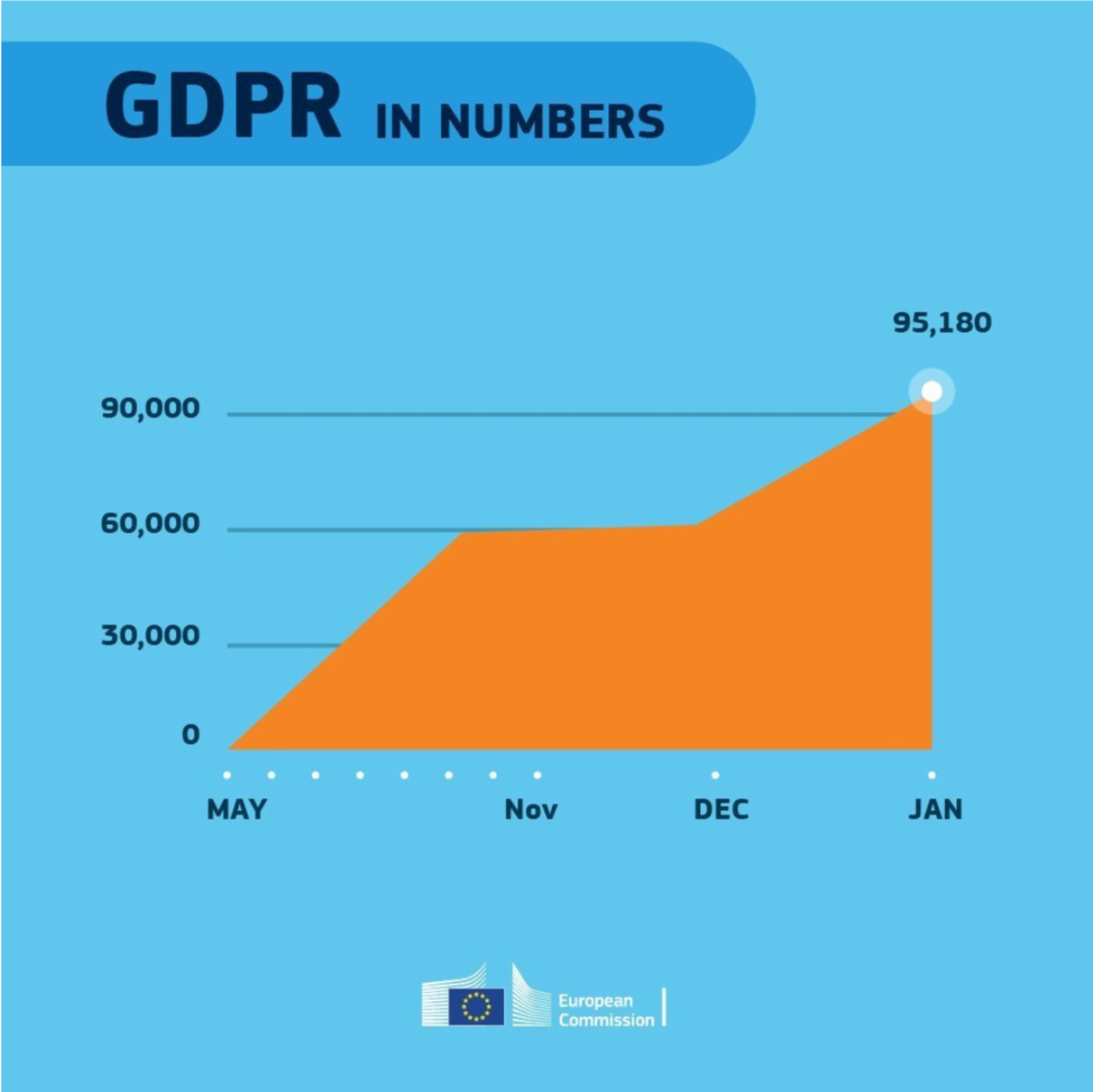
Even though most of these 18 rules below seem quite obvious, even the European Commissions seems to break them every now and then:

Can you spot what’s wrong with this graph?

Play Your Charts Right: Tips for Effective Data Visualization – by Geckoboard

Play Your Charts Right: Tips for Effective Data Visualization – by Geckoboard

In a world where data really matters, we all want to create effective charts. But data visualization is rarely taught in schools, or covered in on-the-job training. Most of us learn as we go along, and therefore we often make choices or mistakes that confuse and disorient our audience.
From overcomplicating or overdressing our charts, to conveying an entirely inaccurate message, there are common design pitfalls that can easily be avoided. We’ve put together these pointers to help you create simpler charts that effectively get across the meaning of your data.

Geckoboard

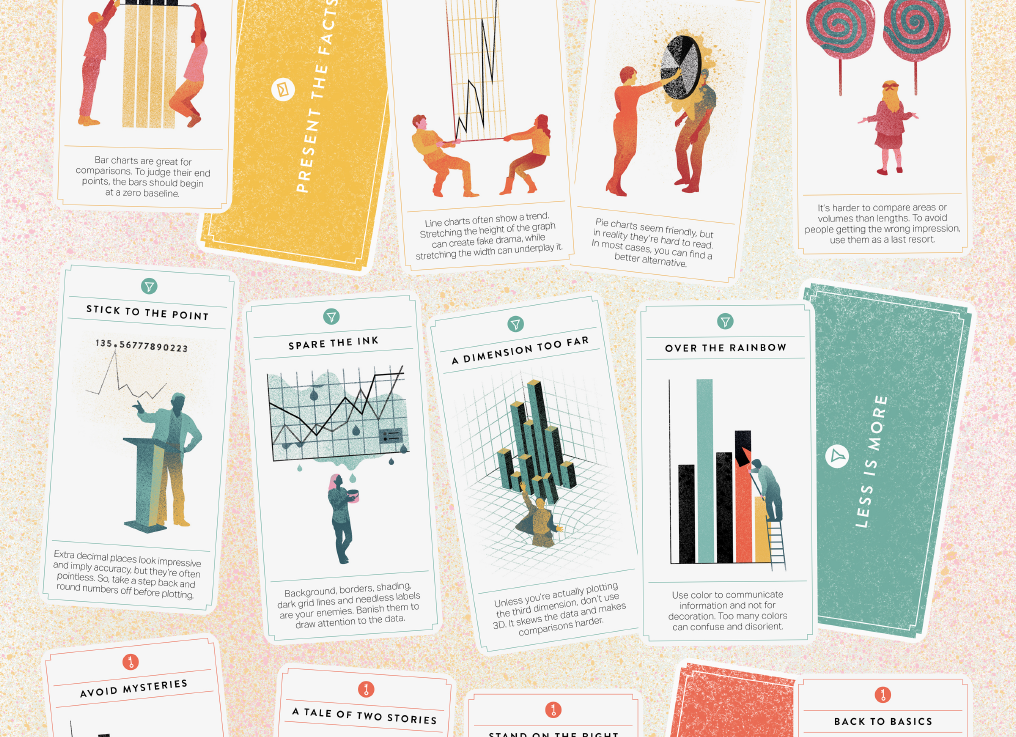
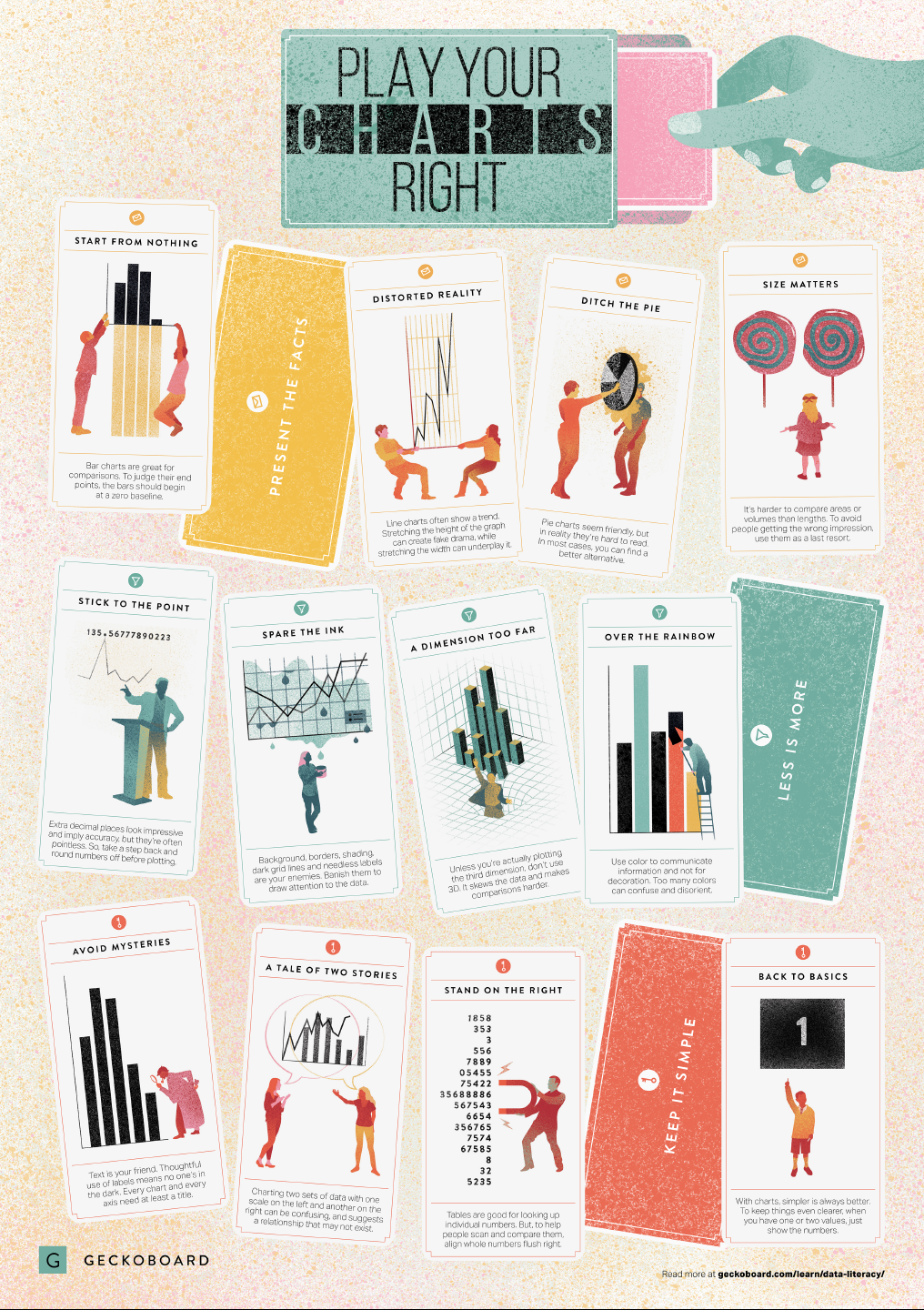
Based on work by experts such as Stephen Few, Dona Wong, Albert Cairo, Cole Nussbaumer Knaflic, and Andy Kirk, the authors at Geckoboard wrote down a list of recommendations which I summarize below:

Present the facts

  • Start your axis at zero whenever possible, to prevent misinterpretation. Particularly bar charts.
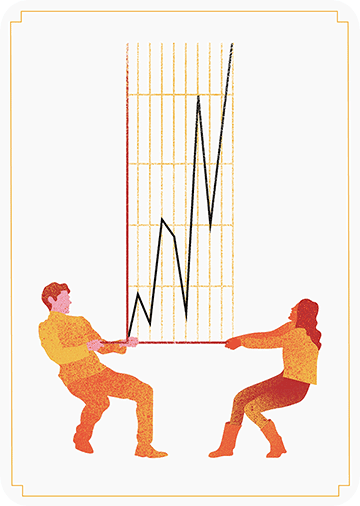
  • The width and height of line and scatter plots influence its messages.
  • Area and size are hard to interpret. Hence, there’s often a better alternative to the pie chart. Read also this.

Less is more

  • Use colors for communication, not decoration.
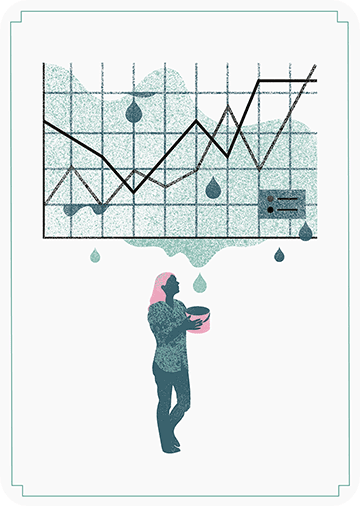
  • Diminish non-data ink, to draw attention to that which matters.
  • Do not use the third dimension, unless you are plotting it.
  • Avoid overselling numerical accuracy with precise decimal values.

Keep it simple

  • Annotate your plots; include titles, labels or scales.
  • Avoid squeezing too much information in a small space. For example, avoid a second x- or y-axis whenever possible.
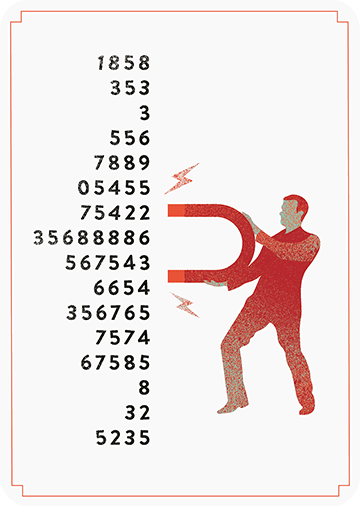
  • Align your numbers right, literally.
  • Don’t go for fancy; go for clear. If you have few values, just display the values.

Infographic summary