Tag: learning

(Time Series) Forecasting: Principles & Practice (in R)

(Time Series) Forecasting: Principles & Practice (in R)

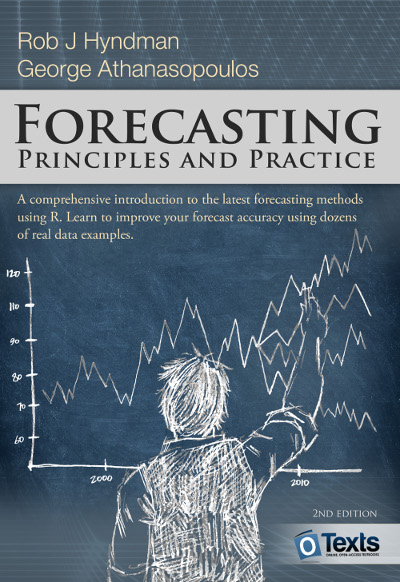
I stumbled across this open access book by Rob Hyndman, the god of time series, and George Athanasopoulos, a colleague statistician / econometrician at Monash University in Melbourne Australia.

Hyndman and Athanasopoulos provide a comprehensive introduction to forecasting methods, accessible and relevant among others for business professionals without any formal training in the area. All R examples in the book assume work build on the fpp2 R package. fpp2 includes all datasets referred to in the book and depends on other R packages including forecast and ggplot2.

Some examples of the analyses you can expect to recreate, ignore the agricultural topic for now ; )

Monthly milk production per cow.
One of the example analysis you will recreate by following the book (Figure 3.3)
Forecasts of egg prices using a random walk with drift applied to the logged data.
You will be forecasting price data using different analyses and adjustments (Figure 3.4)

I highly recommend this book to any professionals or students looking to learn more about forecasting and time series modelling. There is also a DataCamp course based on this book. If you got value out of this free book, be sure to buy a hardcopy as well.

R tips and tricks

R tips and tricks

Below are a dozen of very specific R tips and tricks. Some are valuable, useful, or boost your productivity. Others are just geeky funny. 

More general helpful R packages and resources can be found in this list.

If you have additions, please comment below or contact me!

Completely new to R? → Start here!

Table of Contents


Join 385 other subscribers

RStudio

Many more shortkeys available here online, and in your RStudio under Tools → Keyboard Shortcuts Help.

General

Disclaimer: This page contains one or more links to Amazon.
Any purchases made through those links provide us with a small commission that helps to host this blog.

Useful base functions

Back to Table of Contents

R Markdown

Data manipulation

Data visualization

Back to Table of Contents

Fun

Easter eggs

Join 385 other subscribers

Back to Table of Contents

Interactive Explanation of Network and Graph Principles

Interactive Explanation of Network and Graph Principles

Why do groups of people act smart, dumb, kind, or cruel? People behave in strange ways, particularly when they are able to influence one another. Both good and bad things can happen when people interact and behave in network structures. On the bright side, you must be familiar with the wisdom of the crowd, where the aggregated knowledge of a group is more valuable than its sum? Ensemble algorithms – like random forest analysis – rely on this positive principle.

On the dark side, are you familiar with the phenomenon called the tragedy of the commons, where shared resource-systems collapse because individuals behave in their self-interest? Or psychological phenomena such as groupthink, where groups of people make irrational decisions due to social issues? The recent spread of fake news and misinformation is also stimulated by network interactions. In these cases, we could speak of the madness of the crowd.

Nicky Case made a great interactive walkthrough explaining why and when networks of people become wise or mad. You are tasked to change and simulate network interactions while Nicky explains concepts such as (complex) contagion, the majority illusion paradox, bonding and bridging, and small world networks. In the references, Nicky provides links to scientific papers explaining these concepts in more detail. I highly suggest you check out her website here.


example.png
Screenshot of one of the explanations/simulations Nicky offers.


Predictive HR Analytics

Predictive HR Analytics

Tilburg University has set up a masterclass Predictive HR Analytics. In 3 days, the Professional Learning program will teach you all you need to know to implement predictive analytics and take HR to the next level. More information can be found here.

What makes this program unique?

  • The masterclass Predictive HR Analytics goes beyond HR analytics and focuses on transformational people predictions. You learn how to embed predictive HR analytics into your HR Strategy and how to use your findings to convince others.
  • The masterclass is developed at the prestigious Human Resources department at Tilburg University, which has obtained international recognition with its high-quality academic research in the HRM field.
  • The mix of professors in conjunction with leading HR professionals leads to a strong academic program with a practical approach.
  • Your peer participants will make sure that the class opens up a high-quality network of HR specialists. The diversity of leading companies from different sectors in the classroom creates new insights for all the participants.
  • The program is like a 3-day pressure cooker. By combining online and offline components, we can create more in-depth discussions in the classroom.
  • You will experience a high impact on your daily practice, since the program is focused on direct implementation.

Your profile

This course is ideal for anyone in HR seeking to become more adept in using quantitative data for decision making. Typical participants are (future) HR analysts, HR managers, HR business partners, HR consultants and (financial) business analysts with a strong link on people resources. Participants are from various sectors, such as financial services, healthcare institutions, government agencies and business services.

Machine Learning and AI courses at Google

Machine Learning and AI courses at Google

Google has announced to provide open access to its artificial intelligence and machine learning courses. On their overview page, you will find many educational resources from machine learning experts at Google. They announced to share AI and machine learning lessons, tutorials and hands-on exercises for people at all experience levels. Simply filter through the resources and start learning, building and problem-solving.

For instance, up your game straight away with this 15-hour Machine Learning crash course. Zuri Kemp – who leads Google’s machine learning education program – said that over 18,000 Googlers have already enrolled in the course. Designed by the engineering education team, the courses explores loss functions and gradient descent and teached you to build your own neural network in Tensorflow.


rstudio::conf 2018 summary

rstudio::conf 2018 summary

rstudio::conf is the yearly conference when it comes to R programming and RStudio. In 2017, nearly 500 people attended and, last week, 1100 people went to the 2018 edition. Regretfully, I was on holiday in Cardiff and missed out on meeting all my #rstats hero’s. Just browsing through the #rstudioconf Twitter-feed, I already learned so many new things that I decided to dedicate a page to it!

Fortunately, you can watch the live streams taped during the conference:

Two people have collected the slides of most rstudio::conf 2018 talks, which you can acces via the Github repo’s of matthewravey and by simecek. People on Twitter have particularly recommended teach the tidyverse to beginners (by David Robinson), the lesser known stars of the tidyverse (by Emily Robinson), the future of time series and financial analysis in the tidyverse (by Davis Vaughan of business-science.io), Understanding Principal Component Analysis (by Julia Silge), and Deploying TensorFlow models (by Javier Luraschi). Nevertheless, all other presentations are definitely worth checking out as well!

One of the workshops deserves an honorable mention. Jenny Bryan presented on What they forgot to teach you about R, providing some excellent advice on reproducible workflows. It elaborates on her earlier blog on project-oriented workflows, which you should read if you haven’t yet. Some best pRactices Jenny suggests:

  • Restart R often. This ensures your code is still working as intended. Use Shift-CMD-F10 to do so quickly in RStudio.
  • Use stable instead of absolute paths. This allows you to (1) better manage your imports/exports and folders, and (2) allows you to move/share your folders without the code breaking. For instance, here::here("data","raw-data.csv") loads the raw-data.csv-file from the data folder in your project directory. If you are not using the here package yet, you are honestly missing out! Alternatively you can use fs::path_home()normalizePath() will make paths work on both windows and mac. You can usebasename instead of strsplit to get name of file from a path.
  • To upload an existing git directory to GitHub easily, you can usethis::use_github().
  • If you include the below YAML header in your .R file, you can easily generate .md files for you github repo.
#' ---
#' output: github_document
#' ---
  • Moreover, Jenny proposed these useful default settings for knitr:
knitr::opts_chunk$set(
collapse = TRUE,
comment = "#>",
out.width = "100%"
)

Another of Jenny Bryan‘s talks was named Data Rectangling and although you might not get much out of her slides without her presenting them, you should definitely try the associated repurrrsive tutorial if you haven’t done so yet. It’s a poweR up for any useR!

Here’s a Shiny dashboard made by Garrick Aden-Buie including all the #rstudioconf tweets so you can browse the posts yourself. If you want to download the tweets, Mike Kearney (author of rtweet) shares the data here on his Github. Some highlights:

These probably only present a minimal portion of the thousands of tips and tricks you could have learned by simply attending rstudio::conf. I will definitely try to attend next year’s edition. Nevertheless, I hope the above has been useful. If I missed out on any tips, presentations, tweets, or other materials, please reply below, tweet me or pop me a message!