This specific link has been on my to-do list for so-long now that I’ve decided to just share it without any further ado.
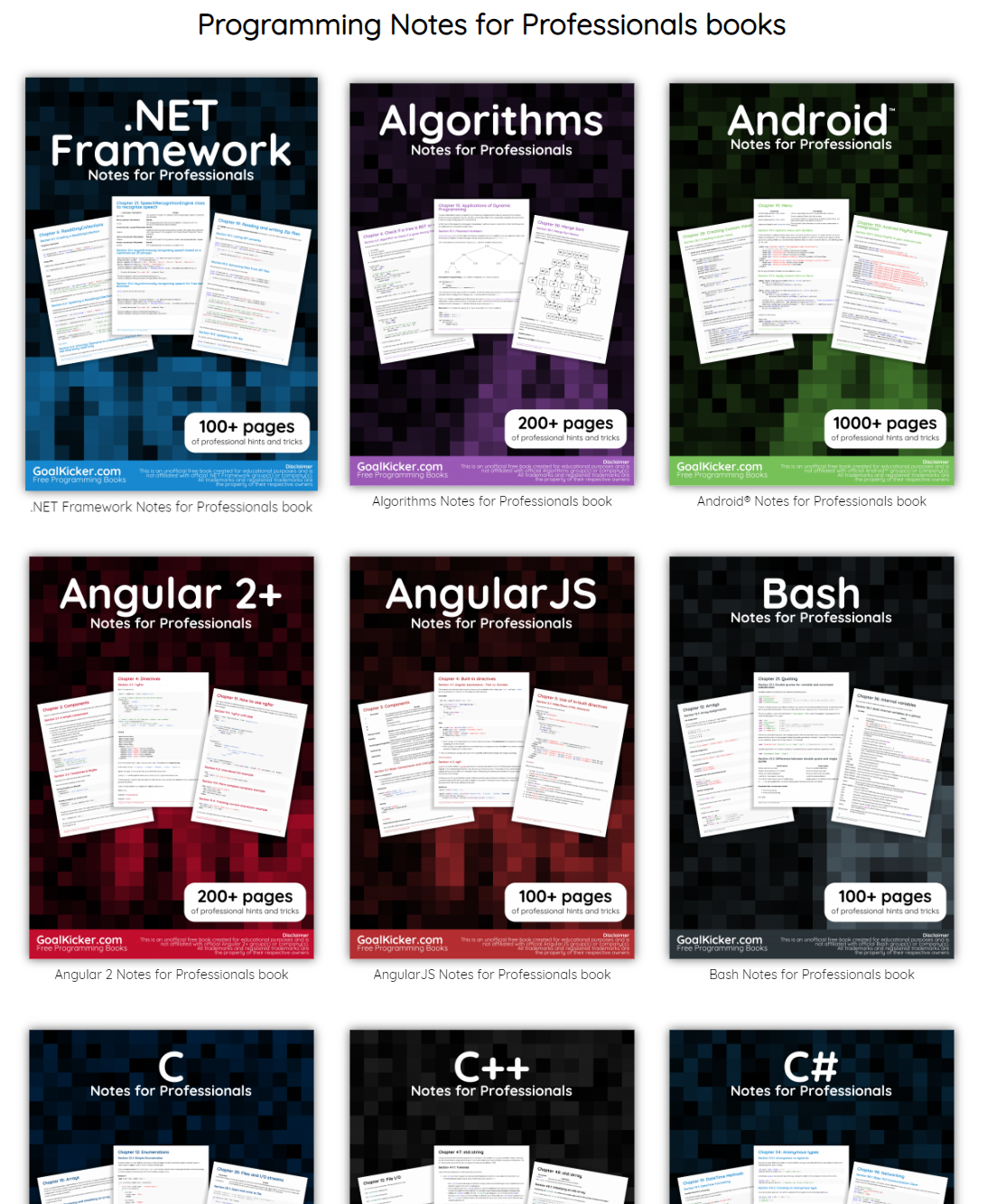
The people behind GoalKicker, for whatever reason, decided to compile nearly 100 books on different programming languages based on among others StackOverflow entries. Their open access library contains books on languages from Latex to Linux, from Java to JavaScript, from SQL to MySQL, and from C, to C++, C#, and objective-C.
A while back I discovered this free game called Screeps: an RTS colony-simulation game specifically directed AI programmers. I was immediately intrigued by the concept, but it took me a while to find the time and courage to play. When I finally got to playing though, I lost myself in the game for several days on end.
Screeps means “scripting creeps.”
It’s an open-source sandbox MMO RTS game for programmers, wherein the core mechanic is programming your units’ AI. You control your colony by writing JavaScript which operate 24/7 in the single persistent real-time world filled by other players on par with you.
Basically, screeps is very little game. You start with in a randomly generated canyon of some 400 by 400 pixels, with nothing more than some basic resources and your base. Nothing fun will happen. Even better, nothing at all will happen. Unless you program it yourself.
As a player, it is your job to “script” your own creeps’ AI. And your buildings AI for that matter. You will need to write a program that makes your base spawn workers. And next those workers will need to be programmed to actually work. You need to direct them to go to the resources, explain them how to mine the resources, when to stop mining, and how to return the mined resources to your base. You will probably also want some soldiers and some other defenses, so those need to be spawned with their own special instructions as well.
Everything needs to be scripted well, as the game (and thus your screeps) runs on special servers, 24/7, so also when you are not playing yourself. Truly your personal, virtual, mini-AI colony.
The programming mostly occurs in JavaScript. This can be difficult for those like myself who do not know JavaScript, but even I managed to have some basic workers running up and down my screen in a matter of hours. Step by step, you will learn (be forced) to create different worker types (harvesters, builders, repairmen, and even some stupid soldiers) and even some basic colony management scripts (spawning workers, spending resources, upgrading stuff). In the mean time, you will silently learn some JavaScript while playing. As I put in more and more hours, I could even see how to improve on my earlier scripts. This makes screeps a fun and rewarding gaming and learning experience.
Do expect to run into frustrations though! If you’re no JavaScript expert you will personally create a lot of bugs. Of which the game by default send you messages, as your colony will get stuck overnight. Moreover, you will likely need to Google every single thing you want to do at the start. I found great help in this YouTube tutorial to get me started. Finally, you are only under nooby-protection for the first so-many hours, after which you will quickly get slaughtered by all the advanced multi-CPU players on the servers.
Heck, it was fun while it lasted : )
PS. I read here that, using WebAssembly, one could also compile code written in different languages and run it in Screeps: C/C++ or Rust code, as well as other supported languages.
I came across this awesome regular expression tool I wanted to share. Debuggex allows you to interactively write, test and visually inspect what your regular expressions match in either Python, JavaScript, or Perl.
Read more about regular expressions here, for instance their implementation in R.
Browse through hundreds of helpful data visualization tools, programs, and services. All neatly organized by Andy Kirk in categories: data handling, applications, programming, web-based, qualitative, mapping, specialist, and colour. What a great repository!
I recently came across this lovely article where Ali Spittel provides 7 tips for writing cleaner JavaScript code. Enthusiastic about her guidelines, I wanted to translate them to the R programming environment. However, since R is not an object-oriented programming language, not all tips were equally relevant in my opinion. Here’s what really stood out for me.
Suppose we want to create our own custom function to derive the average value of a vector v (please note that there is a base::mean function to do this much more efficiently). We could use the R code below to compute that the average of vector 1 through 10 is 5.5.
avg <- function(v){
    s = 0
    for(i in seq_along(v)) {
        s = s + v[i]
    }
    return(s / length(v))
}

avg(1:10) # 5.5
However, Ali rightfully argues that this code can be improved by making the variable and function names much more explicit. For instance, the refigured code below makes much more sense on a first look, while doing exactly the same.
averageVector <- function(vector){
    sum = 0
    for(i in seq_along(vector)){
        sum = sum + vector[i]
    }
    return(sum / length(vector))
}

averageVector(1:10) #5.5
Of course, you don’t want to make variable and function names unnecessary long (e.g., average would have been a great alternative function name, whereas computeAverageOfThisVector is probably too long). I like Ali’s principle:
Don’t minify your own code; use full variable names that the next developer can understand.
2. Write short functions that only do one thing
Ali argues “Functions are more understandable, readable, and maintainable if they do one thing only. If we have a bug when we write short functions, it is usually easier to find the source of that bug. Also, our code will be more reusable.” It thus helps to break up your code into custom functions that all do one thing and do that thing good!
For instance, our earlier function averageVector actually did two things. It first summated the vector, and then took the average. We can split this into two seperate functions in order to standardize our operations.
sumVector <- function(vector){
    sum = 0
    for(i in seq_along(vector)){
        sum = sum + vector[i]
    }
    return(sum)
}

averageVector <- function(vector){
    sum = sumVector(vector)
    average = sum / length(vector)
    return(average)
}

sumVector(1:10) # 55
averageVector(1:10) # 5.5
If you are writing a function that could be named with an “and” in it — it really should be two functions.
3. Documentation
Personally, I am terrible in commenting and documenting my work. I am always too much in a hurry, I tell myself. However, no more excuses! Anybody should make sure to write good documentation for their code so that future developers, including future you, understand what your code is doing and why!
Ali uses the following great example, of a piece of code with magic numbers in it.
Now, you might immediately recognize the number Pi in this return statement, but others may not. And maybe you will need the value Pi somewhere else in your script as well, but you accidentally use three decimals the next time. Best to standardize and comment!
PI <- 3.14 # PI rounded to two decimal places

areaOfCircle <- function(radius) {
  # Implements the mathematical equation for the area of a circle:
  # Pi times the radius of the circle squared.
  return(PI * radius ** 2)
}
The above is much clearer. And by making PI a variable, you make sure that you use the same value in other places in your script! Unfortunately, R doesn’t handle constants (unchangeable variables), but I try to denote my constants by using ALL CAPITAL variable names such as PI, MAX_GROUP_SIZE, or COLOR_EXPERIMENTAL_GROUP.
Do note that R has a built in variable pi for purposes such as the above.
I love Ali’s general rule that:
Your comments should describe the “why” of your code.
However, more elaborate R programming commenting guidelines are given in the Google R coding guide, stating that:
Functions should contain a comments section immediately below the function definition line. These comments should consist of a one-sentence description of the function; a list of the function’s arguments, denoted by Args:, with a description of each (including the data type); and a description of the return value, denoted by Returns:. The comments should be descriptive enough that a caller can use the function without reading any of the function’s code.
Either way, prevent that your comments only denote “what” your code does:
# EXAMPLE OF BAD COMMENTING ####

PI <- 3.14 # PI

areaOfCircle <- function(radius) {
    # custom function for area of circle
    return(PI * radius ** 2) # radius squared times PI
}
5. Be Consistent
I do not have as strong a sentiment about consistency as Ali does in her article, but I do agree that it’s nice if code is at least somewhat in line with the common style guides. For R, I like to refer to my R resources list which includes several common style guides, such as Google’s or Hadley Wickham’s Advanced R style guide.
Today I learned about dygraphs, a fast, flexible open source JavaScript charting library. As everything in JavaScript, the charts produced by dygraphs integrate completely in the webbrowser and are thus very functional and interactive. See, for instance, the below where the graph highlights the y-axis value for both time series in the graph based on the x-axis value of my mouse location (January 24 2009). Very cool!
Fortunately, I do know my way around R, and of course someone had already integrated dypgrahs in R in the form of the dygraphs R package. It works like a charm!



 paulvanderlaken.com